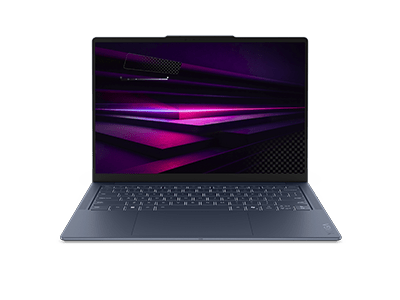
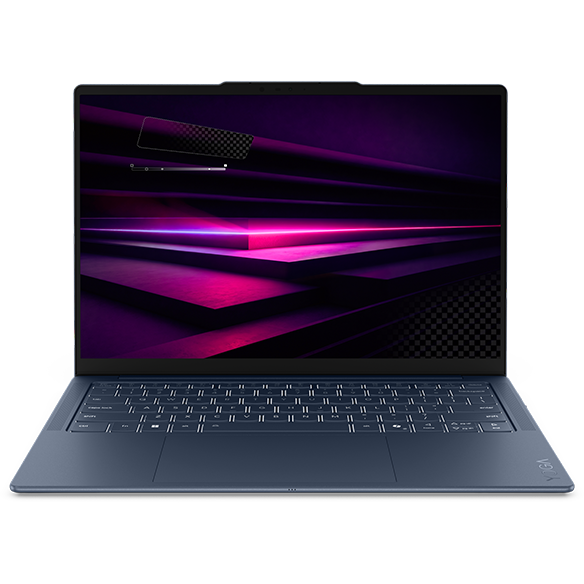
Laptops with OLED Touch Display
Introduction
In today's digital landscape, the demand for high-quality displays has never been greater. Laptops equipped with OLED (Organic Light Emitting Diode) touch displays offer vibrant colors, deep contrasts, and exceptional clarity, making them an excellent choice for both work and entertainment. Whether you're editing photos, watching movies, or simply browsing the web, an OLED touch display enhances your experience by delivering stunning visuals and responsive touch capabilities.
The integration of touch functionality with OLED technology allows for a more interactive and intuitive user experience. You can navigate through applications, zoom in on images, and scroll through documents with ease, all while enjoying the rich colors and sharp details that OLED displays provide. This combination not only elevates productivity but also transforms everyday tasks into engaging experiences.
What Are the Benefits of OLED Touch Displays?
OLED touch displays come with a range of advantages that set them apart from traditional LCD screens. Understanding these benefits can help you make an informed decision when selecting a laptop.
Key benefits include:
- Vibrant Color Accuracy: OLED displays produce a wider color gamut, resulting in more accurate and vivid colors. This is particularly beneficial for creative professionals who rely on precise color representation for tasks like photo editing and graphic design.
- Deep Black Levels: Unlike traditional displays, OLED technology allows individual pixels to turn off completely, achieving true black levels. This enhances contrast ratios and makes images appear more dynamic and lifelike.
- Wide Viewing Angles: With OLED displays, you can enjoy consistent color and brightness from various angles. This is ideal for collaborative work or sharing content with others, as everyone can see the screen clearly without color distortion.
- Responsive Touch Experience: The touch functionality of OLED displays allows for smooth and precise interactions. Whether you're tapping, swiping, or pinching, the responsiveness enhances your overall user experience.
These benefits make OLED touch displays a compelling choice for anyone looking to elevate their computing experience, whether for work, study, or leisure.
How Do OLED Touch Displays Compare to Traditional Displays?
When considering a laptop, it's essential to understand how OLED touch displays stack up against traditional LCD screens. Each technology has its strengths and weaknesses, which can influence your choice based on your specific needs.
Key differences include:
- Brightness Levels: While LCDs can achieve high brightness levels, OLED displays excel in contrast and color depth. This means that even in bright environments, OLED screens maintain their vibrant colors and deep blacks.
- Energy Efficiency: OLED displays can be more energy-efficient when displaying darker images, as individual pixels can turn off. However, they may consume more power when displaying bright content compared to LCDs.
- Longevity: LCDs generally have a longer lifespan without the risk of burn-in, which can affect OLED displays if static images are displayed for extended periods. This is an important consideration for users who plan to use their laptops for long hours daily.
Understanding these differences can help you determine which display technology aligns best with your usage patterns and preferences.
Who Can Benefit from Laptops with OLED Touch Displays?
Laptops with OLED touch displays cater to a wide range of users, each benefiting from the unique features these displays offer. Whether you're a student, professional, or creative, there's something for everyone.
Key user groups include:
- Creative Professionals: Graphic designers, photographers, and video editors will appreciate the color accuracy and detail provided by OLED displays, allowing them to produce high-quality work with confidence.
- Students: Students can benefit from the interactive touch capabilities, making it easier to take notes, annotate documents, and engage with educational content in a more immersive way.
- Business Users: Professionals who frequently present or collaborate will find the vibrant visuals and responsive touch features enhance their presentations and meetings, making information sharing more effective.
Regardless of your profession or interests, laptops with OLED touch displays can enhance your productivity and enjoyment, making them a worthwhile investment.
What to Look for When Choosing a Laptop with an OLED Touch Display
When selecting a laptop with an OLED touch display, there are several factors to consider to ensure you choose a device that meets your needs and preferences.
Key considerations include:
- Screen Size: Determine the size that best fits your usage. Larger screens provide more immersive experiences, while smaller screens offer greater portability.
- Processor and Memory: Look for a laptop with a capable processor and sufficient RAM to handle your tasks efficiently. This is especially important for resource-intensive applications like video editing software.
- Storage Options: Consider whether you need SSD (Solid State Drive) storage for faster boot times and application loading or if traditional HDD (Hard Disk Drive) storage will suffice for your needs.
- Battery Life: Evaluate the battery life to ensure it meets your daily usage requirements. A longer battery life is beneficial for users who are frequently on the go.
By keeping these factors in mind, you can select a laptop that not only features an OLED touch display but also aligns with your overall computing needs.