

Laptops for Video Editing
(2 results)
Brand
Lenovo Yoga (2)
Color
Blue (2)
Price
$ 2,000 - $ 4,999.99 (2)
Sort by :Best-Selling
- $ 2,919.99See More
- $ 3,199.99See More

You May Also Like
- $ 2,884See More
- $ 3,599See More
- $ 1,339.99See More
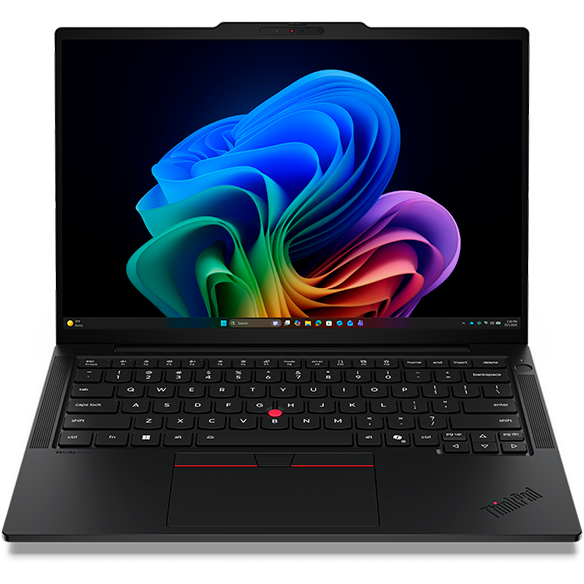
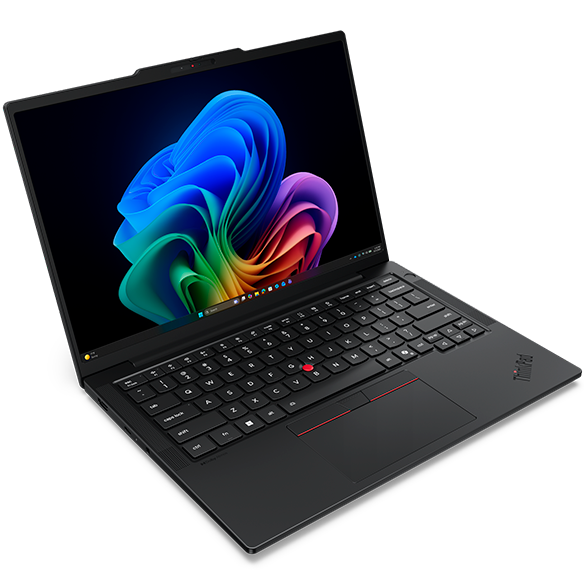
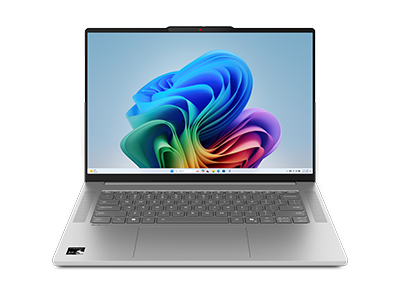
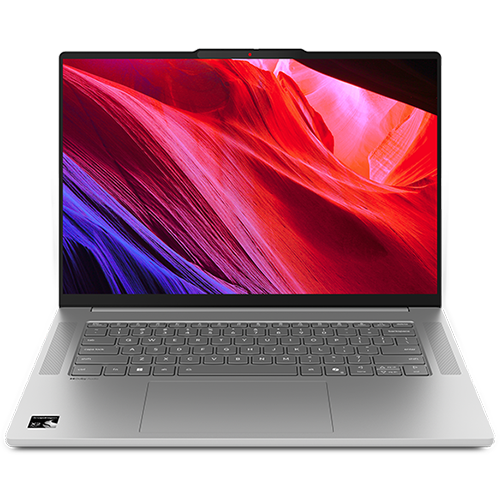
Laptops for Video Editing
Introduction
Video editing is a demanding task that requires powerful hardware to handle high-resolution footage, complex effects, and extensive rendering processes. Whether you are a professional filmmaker, a content creator, or an enthusiastic hobbyist, having the right laptop can significantly enhance your editing experience. The ideal video editing laptop should combine performance, portability, and a vibrant display to ensure that your creative vision comes to life without unnecessary interruptions.
As video content continues to dominate online platforms, the need for capable editing tools has never been more critical. A laptop that can efficiently manage video editing software, multitask seamlessly, and provide accurate color representation is essential for producing high-quality content. With the right features, you can focus on your creativity rather than worrying about technical limitations.
What Features Are Essential for Video Editing Laptops?
When selecting a laptop specifically for video editing, certain features are crucial to ensure a smooth and efficient workflow. Understanding these requirements can help you make an informed decision that aligns with your editing needs.
Key features to consider include:
- Powerful Processor: A high-performance processor is essential for handling demanding video editing tasks. Look for laptops equipped with multi-core processors that can efficiently manage rendering and playback without lag.
- Ample RAM: Having sufficient RAM is vital for multitasking and running resource-intensive applications. A minimum of 16GB is recommended to ensure smooth performance while editing large video files.
- Dedicated Graphics Card: A dedicated graphics card enhances rendering speeds and allows for smoother playback of high-resolution footage. This is particularly important for effects-heavy projects and 3D rendering.
- High-Resolution Display: A vibrant, high-resolution display is crucial for accurate color grading and detail work. Look for laptops with at least a Full HD (1920x1080) resolution or higher for the best visual experience.
- Fast Storage: Solid State Drives (SSDs) provide faster read and write speeds compared to traditional hard drives. This results in quicker file transfers and reduced loading times for your editing software.
By prioritizing these features, you can ensure that your laptop is equipped to handle the rigors of video editing, allowing you to focus on your creative process without technical interruptions.
Why Is a Dedicated Graphics Card Important for Video Editing?
A dedicated graphics card plays a pivotal role in video editing, as it significantly enhances the performance of editing software. Understanding its importance can help you make a more informed choice when selecting a laptop for your editing needs.
Benefits of a dedicated graphics card include:
- Improved Rendering Speeds: Dedicated graphics cards are designed to handle complex calculations, which can drastically reduce rendering times for video projects. This allows you to complete your work more efficiently.
- Smoother Playback: With a dedicated GPU, you can enjoy smoother playback of high-resolution footage, making it easier to edit and review your work without frustrating lag or stuttering.
- Enhanced Effects Processing: Many video editing applications leverage GPU acceleration to apply effects and transitions. A dedicated graphics card can significantly speed up these processes, allowing for real-time previews.
Investing in a laptop with a dedicated graphics card can greatly enhance your video editing experience, making it a worthwhile consideration for anyone serious about their craft.
How Much RAM Do You Need for Video Editing?
RAM (Random Access Memory) is a critical component in determining how well your laptop can handle video editing tasks. Understanding how much RAM you need can help you choose a laptop that meets your editing requirements.
Recommended RAM specifications include:
- 16GB RAM: This is the minimum recommended amount for most video editing tasks. It allows for smooth multitasking and efficient handling of larger projects without significant slowdowns.
- 32GB RAM: If you frequently work with 4K footage or complex projects, consider upgrading to 32GB. This provides additional headroom for multitasking and ensures optimal performance during intensive editing sessions.
- 64GB RAM: For professional editors working on large-scale projects or using multiple resource-heavy applications simultaneously, 64GB may be necessary. This level of RAM ensures that your laptop can handle even the most demanding tasks with ease.
Choosing the right amount of RAM is essential for maintaining a smooth editing workflow, allowing you to focus on your creativity rather than technical limitations.
Why Is a High-Resolution Display Important for Video Editing?
A high-resolution display is a crucial aspect of any video editing laptop, as it directly impacts your ability to accurately assess and edit footage. Understanding the importance of display quality can help you make a more informed decision.
Key reasons for prioritizing display quality include:
- Accurate Color Representation: A high-resolution display allows for better color accuracy, which is essential for color grading and ensuring that your final product looks professional. This is particularly important for projects that will be viewed on various platforms.
- Increased Detail Visibility: Editing high-resolution footage requires the ability to see fine details clearly. A higher resolution display enables you to zoom in on your footage without losing clarity, making it easier to make precise edits.
- Enhanced Viewing Experience: A vibrant display enhances your overall editing experience, allowing you to enjoy your work as you create. This can be particularly motivating and inspiring during long editing sessions.
Investing in a laptop with a high-resolution display can significantly improve your video editing capabilities, ensuring that your creative vision is accurately represented in your final product.
Choosing the Right Laptop for Video Editing
When selecting a laptop for video editing, it’s essential to consider your specific needs and the types of projects you plan to undertake. Here are some key factors to keep in mind:
- Prioritize a powerful processor and dedicated graphics card to handle demanding editing tasks efficiently.
- Ensure you have sufficient RAM to support multitasking and smooth performance during editing sessions.
- Look for a high-resolution display that provides accurate color representation and detail visibility.
- Consider storage options, opting for SSDs for faster file access and reduced loading times.
By focusing on these critical features, you can choose a laptop that meets your video editing needs and enhances your creative workflow. Explore Lenovo's offerings to find a laptop that aligns with your editing style and helps bring your vision to life.