
What are monitors with adjustable stand?
Monitors with adjustable stands are screens attached to stands that allow you to tweak the height, tilt, swivel, and even rotation. These displays are designed for ergonomic comfort, allowing you to adapt the screen position to your preferred viewing angle. They reduce strain during long hours of use and can suit various setups, whether you're gaming, working, or coding.
What are the different types of adjustable monitor stands?
Adjustable monitor stands come in various forms to suit different needs. Desk mounts clamp onto your workstation, offering excellent flexibility with height, tilt, and swivel adjustments. Wall mounts save desk space and provide a clean, minimalist look, but require proper wall installation. Freestanding stands are portable and easy to set up, often supporting multiple monitors without drilling or clamping. Some models include gas-spring mechanisms for smooth height adjustments, while others feature built-in cable management systems for a tidy workspace. Choosing the right stand depends on your desk setup, monitor size, and the level of adjustability you need.
How do adjustable stands improve my monitor's usability?
Adjustable stands make your monitor more user-friendly by allowing you to customize its position to match your preferences. You can raise or lower the screen, tilt it forward or back, and swivel it side to side. This flexibility makes it easier to reduce glare and maintain proper posture, creating a more enjoyable and productive environment for all-day computing tasks.
Can adjustable stands be used with all monitors?
Not all monitors are compatible with adjustable stands, so it’s important to check a few key factors. Most stands adhere to VESA standards, so your monitor needs a compatible hole pattern (e.g., 75x75mm, 100x100mm). Weight limits are crucial—ensure your monitor falls within the stand’s capacity. Likewise, verify the stand supports your monitor’s size, especially if it’s ultra-wide or curved, as these may need specialized mounts. Non-VESA monitors might require adapter plates to fit. Always review the stand’s specs and your monitor’s design before purchasing to ensure a secure and functional setup that meets your needs.
What is VESA mounting?
VESA mounting refers to a universal standard established by the Video Electronics Standards Association (VESA) to simplify monitor and TV mounting. It dictates the placement of screw holes on the back of devices, ensuring compatibility across different mounting systems. Common VESA patterns include 75x75mm and 100x100mm, with larger patterns for bigger screens. This standard is essential for securely attaching monitors or TVs to stands, mounts, or arms, providing stability and ergonomic flexibility. VESA compatibility ensures an easier setup process and a wide range of mounting options, making it a key consideration for anyone customizing their workspace or home theater.
Does an adjustable stand affect screen performance?
No, an adjustable stand has no impact on your screen's actual performance, like resolution or refresh rate. However, it indirectly improves your experience by letting you position the screen for better visibility and less glare. The result? You get a smoother workflow or gaming session, free of discomfort or distractions caused by poor monitor placement.
Can adjustable stands improve my video editing workflow?
Absolutely. With monitors on adjustable stands, you can set up your workspace exactly how you need it. Adjust the height for optimal posture while editing clips. Rotate the screen for vertical tasks or arrange multiple monitors at the perfect angles for multitasking. This flexibility translates into better focus, less strain, and a more streamlined video editing process.
Should I get a monitor with an adjustable stand for gaming?
Yes, especially if you game for extended periods. Adjustable stands allow you to position the monitor for a comfortable viewing angle, which can heighten your immersion without causing neck strain. Whether you’re leaning in during an intense moment or chilling in a relaxed posture, an adjustable stand ensures the screen follows your needs.
Can I mount a monitor with an adjustable stand?
Many monitors with adjustable stands are VESA-compatible, meaning you can detach the stand and mount the monitor instead. This is useful if you’re attaching it to a multi-monitor arm or wall bracket. Keep in mind, though, that the stand must be removed for the mount, so its adjustability won’t apply in that setup.
What role does tilt adjustment play in monitors with adjustable stands?
Tilt adjustment is essential for reducing glare and maintaining eye comfort. Whether you're sitting upright or leaning back while working, it lets you angle the monitor just right. This feature ensures that light from windows or overhead bulbs doesn’t impede visibility, giving you a clear, strain-free view for all your tech tasks.
How does screen rotation benefit programming with adjustable monitor stands?
Yes, having rotation functionality in monitors with adjustable stands is great for programming. When rotated vertically, the monitor displays long sections of code without constant scrolling. This layout is excellent for debugging or working with complex lines. By reducing interruptions, it helps improve workflow and keeps your programming setup efficient and comfortable.
What are the benefits of height adjustment in monitors with adjustable stands?
Height adjustment on monitors with adjustable stands allows you to position the screen for proper posture. This minimizes neck strain when viewing content for extended periods. Whether you’re sitting or standing, you can adapt the monitor to your workspace. It’s especially useful for setups with multiple users who need different heights for comfort.
Can I pair a monitor with an adjustable stand and a laptop?
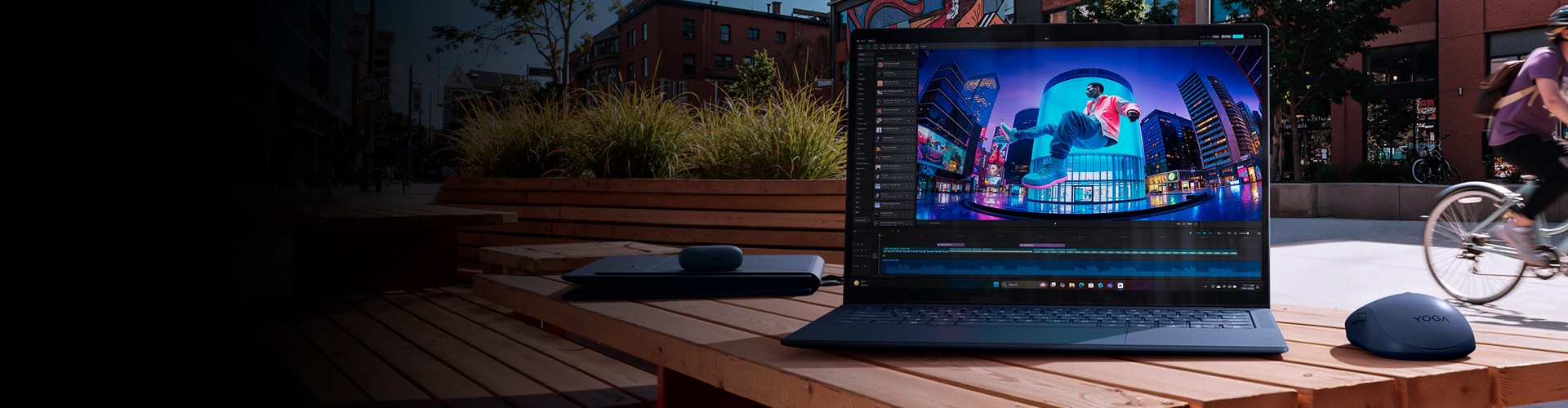
Absolutely! You can increase your productivity by connecting a monitor with an adjustable stand to your laptop. Use it as a secondary display for multitasking, editing, or gaming. Its flexibility lets you align it with your laptop screen for an ergonomic dual-display setup, making it easier to work without constant head movement.