Tablets for Sketching
Introduction
For artists and creative enthusiasts, the right tablet can transform the way you sketch, allowing for a fluid and intuitive drawing experience. Tablets designed for sketching offer a unique blend of portability, precision, and versatility, making them essential tools for both professional artists and hobbyists alike. With advancements in technology, these devices provide features that cater specifically to the needs of sketchers, enabling them to bring their ideas to life with ease.
Whether you're capturing inspiration on the go or working on detailed illustrations at home, a tablet can serve as your digital canvas. With the right stylus and software, you can create stunning artwork, take notes, or even design graphics—all with the convenience of a lightweight device. As we explore the world of tablets for sketching, you'll discover how these tools can enhance your creative process and elevate your artistic endeavors.
What Features Should You Look for in a Sketching Tablet?
When selecting a tablet for sketching, it's crucial to consider specific features that will enhance your drawing experience. Not all tablets are created equal, and understanding what to look for can make a significant difference in your creative workflow.
Key features to consider include:
- Screen Quality: A high-resolution display with vibrant colors and excellent contrast is essential for accurately viewing your artwork. Look for tablets with high pixel density to ensure that your sketches appear sharp and detailed.
- Stylus Compatibility: Many tablets support styluses that offer pressure sensitivity and tilt recognition, allowing for more natural drawing experiences. A responsive stylus can help you achieve varying line thickness and shading effects, enhancing your artistic expression.
- Portability: For artists on the move, a lightweight and compact tablet is crucial. A portable device allows you to sketch anywhere, whether you're in a café, park, or traveling, making it easier to capture inspiration as it strikes.
- Battery Life: Long-lasting battery life is vital for uninterrupted creative sessions. A tablet that can keep up with your drawing sessions without frequent recharging will enhance your productivity.
By focusing on these essential features, you can select a tablet that aligns with your sketching needs and enhances your overall artistic experience.
Why Choose Lenovo Tablets for Sketching?
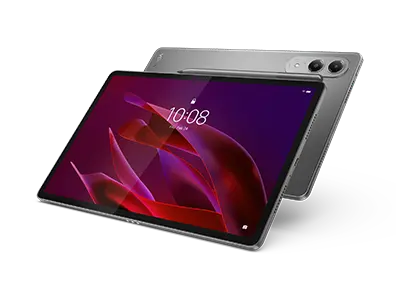
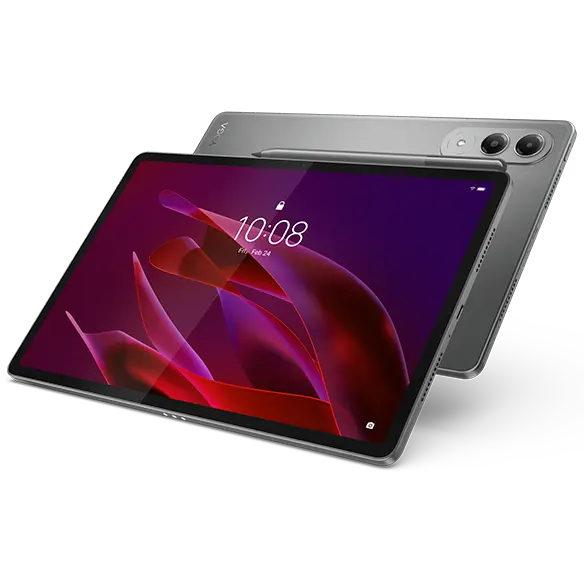
Lenovo tablets are designed with creativity in mind, offering features that cater specifically to artists and sketchers. With a commitment to quality and innovation, Lenovo provides devices that enhance the sketching experience.
Benefits of using Lenovo tablets include:
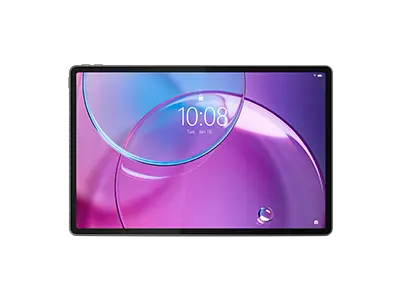
- High-Quality Displays: Lenovo tablets feature stunning displays that deliver vibrant colors and sharp details, allowing artists to see their work in true-to-life quality. This clarity is essential for making precise adjustments and ensuring that your sketches look exactly as intended.
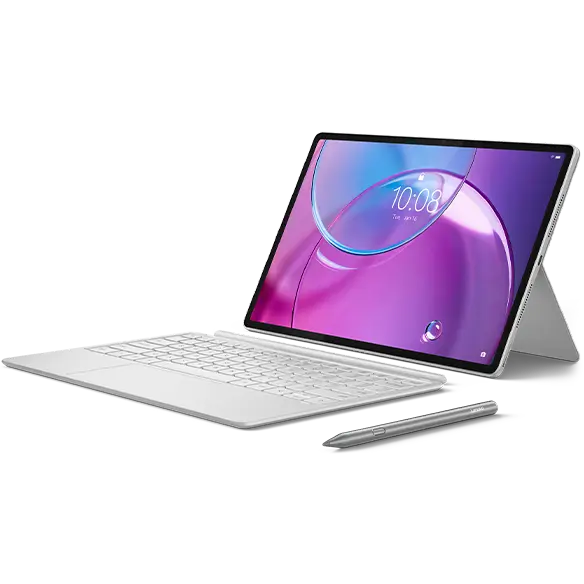
- Responsive Stylus Support: Many Lenovo tablets are compatible with advanced styluses that provide excellent pressure sensitivity and accuracy. This responsiveness allows for a more natural drawing experience, making it easier to create intricate designs and detailed illustrations.
- Versatile Functionality: Lenovo tablets are not just for sketching; they can also handle a variety of tasks, from note-taking to multimedia consumption. This versatility makes them a great choice for artists who want a single device for multiple purposes.
With Lenovo tablets, artists can enjoy a seamless blend of functionality and creativity, making them an excellent choice for anyone looking to enhance their sketching experience.
How to Maximize Your Sketching Experience on a Tablet
To get the most out of your sketching tablet, consider implementing a few strategies that can enhance your creative process. These tips can help you utilize your device effectively and improve your overall sketching skills.
Helpful tips include:
- Explore Different Apps: There are numerous sketching and drawing applications available, each offering unique features and tools. Experimenting with different apps can help you find the one that best suits your style and workflow.
- Practice Regularly: Like any skill, sketching improves with practice. Set aside time each day to draw, experiment with new techniques, and refine your skills. The more you use your tablet, the more comfortable you'll become with its features.
- Utilize Layers: Many sketching apps allow you to work with layers, which can help you organize your artwork and make adjustments without affecting the entire piece. This feature is particularly useful for complex illustrations.
By incorporating these strategies into your routine, you can maximize your sketching experience and unlock your full creative potential.
Conclusion: Finding the Right Tablet for Your Sketching Needs
Choosing the right tablet for sketching is an important decision that can significantly impact your artistic journey. With the right features, a Lenovo tablet can serve as a powerful tool for bringing your creative visions to life.
In summary:
- Look for tablets with high-quality displays and stylus compatibility to enhance your sketching experience.
- Lenovo tablets offer a blend of functionality and creativity, making them a great choice for artists.
- Implementing effective strategies can help you maximize your sketching potential and improve your skills.
Explore Lenovo's range of tablets to find the perfect device that meets your sketching needs and helps you unleash your creativity.