Transferring storage data is significantly more complex than standard data files, especially if you have a lot of it. Fibre Channel switches let you build a specialized network for transmitting data using fibre optic cables, specialized adapters and technology that is prepared for the future.
Discover the key benefits and uses of Fibre Channel networking to optimize your network for your storage needs now and moving forward.
How Fibre Channel Switches Work
Fibre Channel switches transfer storage data between devices and servers in storage area networks (SANs). A SAN connects servers and storage devices within the same network. By only transferring storage data rather than general traffic, Fibre Channels give you speed, lossless performance and reliability for your storage-based applications. Plus, centralized storage resources make it easier to access information, share files with coworkers and scale your storage over time.
Powered by Fibre Channels, SANs have better storage capabilities than local area networks (LANs) and network-attached storage (NAS). While NAS lets you share individual files, Fibre Channel SANs let you share significantly more at higher speeds with block-level storage.
Here's an example: Consider the difference between emailing someone a handful of documents or sending them a compressed ZIP file with several files inside. Sending the compressed ZIP file is faster than sending the email bloated with uncompressed attachments.
If you understand that, it's a snap to understand how Fibre Channel switches manage speeds, traffic and connections across entire networks by sending raw block data within a SAN.
What Is a Fibre Network Switch?
A fibre switch is a physical device that connects to various equipment using fibre optic cables. A fibre switch routes data between network servers (initiators) and storage devices (targets). These physical connections provide high transfer speeds for storing data, even when accessing it from a wireless laptop.
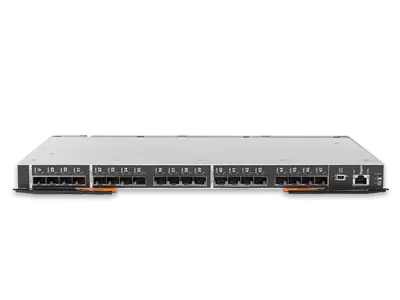
Fibre network switches serve as the backbone and nervous system of any SAN, connecting every device — and your LAN, too. Most switches are wide, flat devices with ports along the side, making them easy to store with the rest of your network setup.
What Does a Fibre Channel Switch Do?
Fibre Channel switches direct traffic, optimize transfer speeds and connect servers to storage devices within SANs. These switches create "channels" between servers and storage devices. Basic wireless connections broadcast data to all nearby devices, which can be slow. In contrast, equipment connected via fibre switches directly sends data back and forth with minimal traffic for high-speed, lossless transmission.
Most switches follow the Fibre Channel Protocol (FCP), which sets fixed standards for bandwidth use, transfer speeds and interface command sets. It ensures all devices within your network are compatible with your switch, provided they have the right adapters, and establishes procedures for managing high traffic or larger transfers.
What Is a Fibre Channel Adapter?
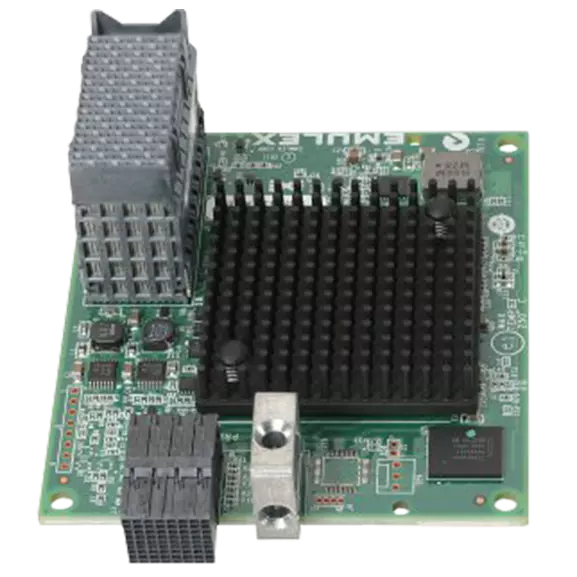
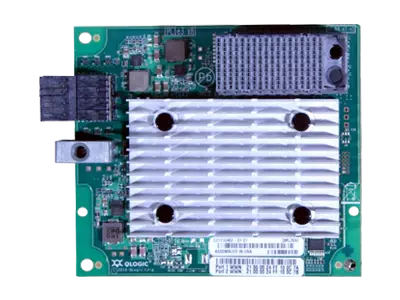
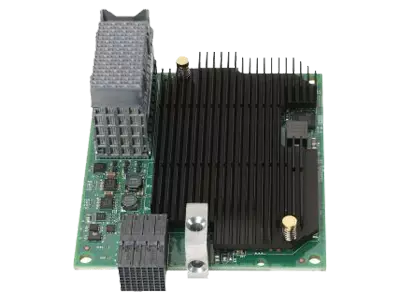
Fibre Channel adapters, or "Fibre Channel host bus adapters" (HBAs), physically connect servers to your Fibre network switch and SAN. Similar to ethernet adapters, these components manage the transmissions between servers and storage devices, maximizing speed, reliability and security. Ethernet is often selected for small, general-purpose networks, whereas HBA is more common for businesses with extensive network needs.
These are necessary additions to most Fibre Channel switches, depending on the devices you're connecting.
Lenovo Fibre Channel Switches
Lenovo fibre switches stand out for their improved performance, scalability and minimal latency, with speeds ranging up to 64 gigabits per second (Gbps).
Many Lenovo fibre devices also offer advanced features, such as:
- Dynamic path optimization
- Self-learning capabilities
- Integrated security
By pairing your fibre switch with other Lenovo equipment, you can open your network up to even more capabilities, including centralized control with the Lenovo XClarity Administrator.
The best Lenovo Fibre Channel switches include:
- ThinkSystem SAN Switch: Lenovo ThinkSystems come in various models, with speeds ranging from 4 to 64 Gbps. The bandwidth ranges from 1.5 Tbps to 8.2 Tbps. Many models use an autonomous SAN infrastructure with self-learning, self-healing and self-optimizing functions.
- Lenovo Gen 7 Fibre Channel Director: These large-scale Fibre Channel switches are built for massive networks with many devices and servers. The biggest model offers up to 512 32-gigabit ports. Speeds reach up to 64 Gbps, and the total bandwidth ranges up to nearly 40 Tbps.
Benefits of a Lenovo Fibre Channel Switch for Your Business
Lenovo fibre switches stand out for their transfer speeds, scalability, security and management options. Consider the benefits of Fibre Channel switching when deciding on a switch for your business's network.
The benefits of Fibre Channel switching include:
- Top performance and latency
- Scalability and flexibility
- Future-proofing for non-volatile memory express
- Easy and autonomous management
- Improved security and authentication
Let's explore these in detail.
Top Performance and Latency
Lenovo switches have complex, finely-honed "fabric" or network architecture that maximizes transmission speeds and reliability. Lenovo Fibre Channel switches also minimize latency, which is the communication delay or lag between devices in your network. Low latency means faster speeds, which is always a plus for your network — and your business. Many Lenovo switches support transfer speeds of up to 64 Gbps, depending on how many ports you use at a time.
These higher speeds and performances are essential for many operations, such as hybrid cloud storage, video editing and data warehousing. This way, your team members and internal systems, such as artificial intelligence (AI) tools, can immediately access all authorized files for faster turnaround and comprehensive analyses.
Scalability and Flexibility
Most Lenovo Fibre Channel switches feature at least two dozen ports you can use at once without limiting link speeds or performance. If you need more ports, Lenovo's ports-on-demand scalability lets you add twice as many ports or more. Plus, end-to-end compatibility gives you the most flexibility when adding new devices to your network.
While extensive port upgrades can decrease your speeds to an extent, you can still maintain higher speeds than most other Fibre Channel networking devices of that scale. For example, the Lenovo X7-4 Gen 7 Fibre Channel Network features 192 64Gb ports but supports up to 256 32Gb ports.
Futureproofing for Non-Volatile Memory Express
Non-Volatile Memory Express (NVMe) is a protocol solid-state drives (SSDs) and other advanced storage devices use to connect with servers. It maximizes bandwidth and performance. Many Lenovo Fibre Channel switches are compatible with this new technology without limiting performance or reliability.
Even if none of your current devices use NVMe communication, you might need to upgrade to it in the future as your storage needs expand. Investing in Fibre Channel switching devices with NVMe compatibility futureproofs your network for what you might need next.
Easy and Autonomous Management
Your network's needs depend on your unique devices and usage patterns. Many Lenovo switches use intelligent features for network management, optimization and real-time analytics to give you maximum control and insight over your storage area network. For example, our self-learning and self-optimizing Fibre Channel switches can adjust to trends in data traffic over time, prioritizing channels with higher traffic and large volumes of data. Meanwhile, self-healing behaviors instruct switches to automatically reroute traffic if specific channels are congested or not working.
Connecting other Lenovo tools with your SAN can further expand its capabilities and your customization options. For example, Lenovo XClarity Administrator gives you a centralized place to manage command line interface (CLI) access, graphical user interfaces (GUIs), software-defined storage (SDS) and port settings. The Administrator tool also lets you monitor your switch status to identify issues immediately.
Improved Security and Authentication
Fibre Channel switches use a secure "zoning" access control strategy that restricts connections between various devices on networks. These restrictions are based on which "zone" each device is in, along with masking settings based on logical unit numbers. This way, someone else connected to your network can't access your storage or specific files without authorization.
Lenovo Fibre Channel networks feature complex encryption to protect all data within your network and deter external threats. Many Lenovo devices also use Fabric Vision technology, which monitors, analyzes and manages the network architecture for optimized security and authentication.
Fibre Channel Switches vs. Ethernet Switches
Fibre Channel switches connect storage devices with servers within the same storage area network or zone so they can communicate and share data. On the other hand, ethernet switches are used for general network purposes, connecting devices within the same LAN with various capabilities, depending on the switch you choose.
The benefits of a Fibre Channel switch include:
- Higher bandwidth and performance
- More reliable data transfers
- Improved data storage and access control
- Specialization for storage devices' unique needs
The benefits of an ethernet switch include:
- Lower costs
- Ideal for general usage
- Faster transfer speeds
- Better performance for non-storage data transfers
Find the Right Fibre Channel Switch for Your Business
When selecting a Fibre Channel switch for your future storage area network, consider your network size, your network's future growth and each device's needs. For example, networks with over 50 devices, including some with NVMe needs, will need a more advanced switch than a network with only a few basic storage devices and one server.
Whatever your network needs, Lenovo has options that will support you today and prepare you for future growth. Explore Lenovo's best Fibre Channel switches to plan and future-proof your network.