

Shop By Size
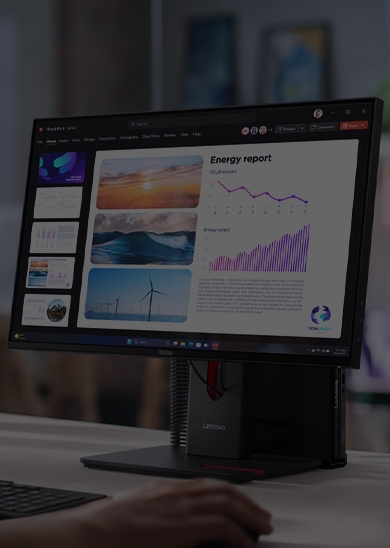
The ideal size depends on various factors, such as your desk space, viewing distance, and personal preference.
The ideal size depends on various factors, such as your desk space, viewing distance, and personal preference.
Shop By Size





Shop By Resolution
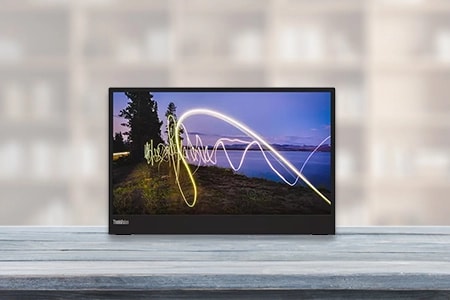
The display’s resolution indicates how sharp, or realistic, your computer’s images are. The higher a display’s resolution, the sharper and more realistic its images are.
The display’s resolution indicates how sharp, or realistic, your computer’s images are. The higher a display’s resolution, the sharper and more realistic its images are.
Shop By Resolution


Shop By Connection Type
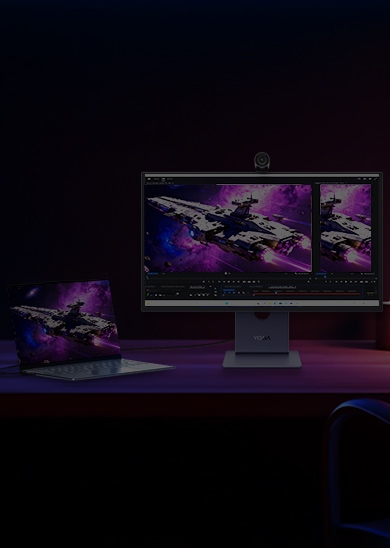
The connection type refers to a port used to establish the connection between the monitor and computer in order to display the computer’s output.
The connection type refers to a port used to establish the connection between the monitor and computer in order to display the computer’s output.
Shop By Connection Type
Filter By All Specs
Want to start by seeing everything Lenovo has to offer? Shop all monitors and filter on all of your favorite specs.


Are you ready to dive into the world of monitors and unlock the ultimate visual experience for your computer setup?
With a market that seems to be introducing new monitors daily, you may feel overwhelmed by the countless options available. There are so many different sizes, resolutions, refresh rates, and other factors to consider to find the perfect monitor. How do you know what's the best one for you?
This monitor buying guide will help you navigate all the options and find a monitor that will take your computing experience to new heights.
How to Buy a PC Monitor
How to Choose the Best Computer Monitor
Before browsing the buying your new monitor you should know the features you want. Consider the following when researching monitor choices:
Size
The size of your computer monitor affects your overall viewing experience. But we're not saying that bigger is always better — it ultimately comes down to what works best for you. You can choose a small, less than 23-inch monitor, such as a 22-inch monitor, or a big, 49-inch monitor.
The ideal size depends on various factors, such as your desk space, viewing distance, and personal preference. A larger screen can plunge you inside the action if you're into gaming or multimedia content. On the other hand, if you have limited desk space or sit closer to your screen, a smaller size might be more suitable.
Use
Think about how you plan to use your monitor. Are you a gamer seeking an immersive experience with smooth graphics? Or are you a graphic designer who needs accurate color representation?
Different monitors cater to specific needs. Look for monitors with high refresh rates and low response times for gaming. If color accuracy is vital, consider monitors with an In-Plane Switching (IPS) panel.
If you use your monitor for long periods, consider an ergonomic monitor with eye care features like flicker-free technology and blue light filters to reduce eye strain. Understanding your usage requirements will help you narrow the options and find a monitor tailored to your specific activities.
Resolution
Resolution determines the level of detail and sharpness in the visuals displayed on your monitor. A higher resolution means clearer and more lifelike images. The most common resolutions on the market are Full HD (1920 x 1080), Quad HD (2560 x 1440), and Ultra HD, also known as 4K (3840 x 2160).
For everyday tasks like web browsing and document editing, an FHD monitor will suffice. However, if you work with multimedia content or enjoy gaming, consider going for higher resolutions like Quad HD or 4K monitors for a more immersive visual experience.
Connectivity
The connection type of your monitor determines how it will be connected to your computer or other devices. Ask yourself, how do you want to connect laptop to monitor? USB-C, High Definition Multimedia Interface (HDMI), DisplayPort, and VGA are the most common connection types.
A monitor with USB-C ports is more versatile as it supports power, data, and video transmission. HDMI is a standard connection for most devices and supports high-definition video and audio.
A monitor with DisplayPort is designed with high-resolution displays in mind. Since the connection supports high refresh rates, it's ideal for gamers and professionals who require fast, smooth visuals.
While VGA is an older analog connection, you will still find it on some monitors and computers.
Consider the available ports on your laptop or other devices and choose a compatible monitor connection type that suits your needs.
Refresh rate
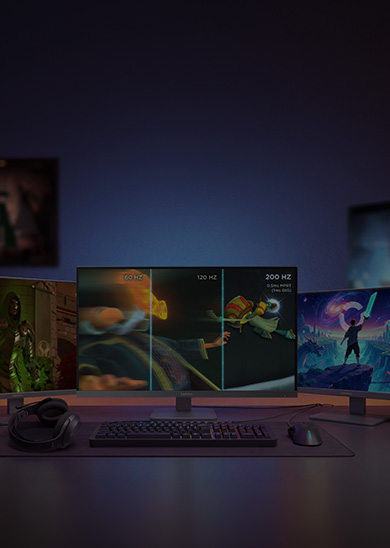
Refresh rate refers to the number of times your monitor updates or refreshes the image on the screen per second, measured in hertz (Hz). The higher the refresh rate, the smoother and more fluid the visuals appear. It's especially crucial for gamers and those who work with fast-paced content, such as action movies or sports.
A higher refresh rate, like 144Hz, will allow the on-screen action to be displayed more quickly and smoothly, giving you a competitive edge and reducing motion blur. For everyday tasks like web browsing or word processing, a standard 60Hz refresh rate is typically sufficient.
Panel type
Panel type refers to the technology used to create the display on your monitor. Different panel types offer strengths and weaknesses, affecting image quality, color accuracy, viewing angles, and response times.
The three main panel types you'll come across are TN (Twisted Nematic), IPS (In-Plane Switching), and VA (Vertical Alignment). TN panels are known for their super-fast response times, making them popular among gamers.
On the other hand, IPS panels excel at color accuracy and wide viewing angles. They bring those visuals to life with vibrant and consistent colors, making them perfect for photo editing or graphic design tasks.
Then we have VA panel monitors, the dynamic balance between TN and IPS. These panels offer deep blacks and high contrast ratios, making them great for immersive media experiences.
Types of Monitors Available at Lenovo
At Lenovo, we have different types of computer monitors to suit every budget, size, and resolution need. You can choose from our wide selection, which includes:
Portable monitors
Whether you're a frequent traveler or need an extra screen on the fly, Lenovo has the best portable monitor for laptop. These compact and lightweight displays provide the convenience of an additional screen that you can easily carry in your bag.
Connect them to your laptop or smartphone, and voila! It only takes one cable to connect your laptop to monitor and it instantly expands your workspace wherever you go.
You can choose the M14 or the L15 series for a slim and lightweight portable monitor, and the L15 series offers two USB-C ports.
Curved monitors
Step into a world of immersive visuals with curved monitors. These sleek displays feature a gentle curve that wraps around your field of view, enhancing your gaming and multimedia experiences. The curvature creates a more natural viewing angle, reducing eye strain.
FHD monitors
First things first, so what is an FHD monitor? FHD monitors, also known as Full HD monitors, offer crisp and clear visuals with an image resolution of 1080 pixels.
Perfect for everyday tasks, these monitors deliver sharp details and vibrant colors. Whether working, streaming your favorite shows, or indulging in casual gaming, FHD monitors balance affordability and quality.
QHD monitors
If you crave a step up in resolution, QHD monitors are the way to go. With a resolution of 1440 pixels, these monitors offer greater detail and sharpness. The increased pixel density means more screen real estate and improved clarity.
Gaming monitors
We have the best gaming monitors designed to elevate your gaming experience with features specifically tailored for gaming enthusiasts. Whether you’re looking for the best budget gaming monitor or a monitor that delivers exceptional performance and visuals, there’s an option for you.
You can choose 4K gaming monitors with a whopping resolution of 3840 x 2160 pixels and enjoy unrivaled clarity and detail. The 4K monitor resolution will allow you to immerse yourself in a world where every texture and color comes alive with incredible precision.
You can opt for 144Hz gaming monitors for buttery-smooth gameplay with ultra-smooth motion and reduced motion blur. The 1440p gaming monitor strikes the perfect balance between resolution and performance. With a resolution of 1440 pixels, these displays offer crisp visuals without putting too much strain on your gaming rig.
USB-C monitors
Say goodbye to cable clutter with a USB-C monitor. These sleek displays are equipped with USB-C ports, providing a single-cable display and power connectivity solution. Connect your laptop, tablet, or smartphone to enjoy stunning visuals while charging your device simultaneously.
VGA monitors
While VGA may be an older connection standard, it still holds its ground in the world of monitors. These monitors offer a reliable and cost-effective display solution, perfect for legacy systems or situations where VGA is the only available option.
Wireless monitors
Cut the cord and experience the freedom of wireless monitors. These innovative displays use wireless technologies like Wi-Fi or Bluetooth® to connect with your devices. Enjoy the convenience of wire-free setups, where you can effortlessly connect your laptop, smartphone, or streaming devices to the monitor without the hassle of cables.
Business monitors
Business monitors come with handy features that enhance productivity and convenience in the workplace. Some of these features include touchscreens, ergonomic stands, quality cameras, and other options designed for professional use.
You can choose from various sizes, including a 23-inch or 24-inch monitor ideal for home or office use. If you want real estate on your screen, you can choose a 28-inch monitor. There are larger options, such as a 32-inch monitor, which will better suit you if you work with complex graphics.
Get the Right Monitor Today
Now that you know the ins and outs of choosing the perfect monitor, we trust you’ll pick the right one for your needs. Start your search by considering our monitor brands, including Legion, Lenovo, Mobile Pixels, ThinkCentre, and ThinkVision. So go ahead, explore the options, and embark on your journey to find the ideal monitor to bring your digital world to life.
Lenovo Computer Monitors
Lenovo Computer Monitors for Every Budget
Do you need a large, crisp image when working at your computer? Are you worried about the sticker shock that usually comes with high quality displays? Those days are over.
At Lenovo, we work hard to design computer displays that fit your budget and provide the higher resolution experience you deserve. No more grainy displays with washed out colors. No more boxy, limited visuals.
We have a large selection so you can find the perfect monitor for your needs. And no matter what screen size or image quality you prefer – or even where you intend to use it – Lenovo has all the most popular display sizes, and resolutions. Even if you are on the go Lenovo has portable monitors that attach to your laptop or plug into your laptop and give you a second screen to keep your productivity up.
Choose from an ultra-slim portable monitor to quickly set up and improve your multitasking even when on the go. Or for a more traditional option, we have displays in popular ranges like 24 inches, 27 inches, 31 inches and beyond.
Our wide selection also includes premium options at the right price: ultrawide monitors that can expand your productivity in amazing new ways; high performance 240hz monitors that accelerate response times and refresh rates when gaming; and 1080p, 1440p (or Quad HD) and 4K monitors that bring visuals to the next level of clarity. At Lenovo, our monitors have it all.
At-home options
Home monitors need to be versatile enough for a wide range of activities. When watching Netflix, you’ll want a widescreen monitor with powerful color quality and crisp resolution. When surfing the web at different times of day, the display should have adjustable brightness controls that match your lighting conditions.
The best home monitors maximize their real estate, with space-saving designs that don't clutter your bedroom or home office. Our Near-Edgeless infinity screens make the most of your viewing area, so you can take full advantage of the tremendous screen size. We pride ourselves on superb picture quality, with 99% sRGB color gamut on several models. When all these features are available at a competitive price, you simply can’t beat it.
Office and home office monitors
For office life, you need a professional monitor with sound color accuracy and high resolutions. Often, companies rely on intense data and graphics applications to get work done, so your monitor needs to be able to handle those tasks.
Lenovo ThinkVision monitors offer incredible resolution, large screen sizes, and multiple ports so you can work more efficiently. Our business monitors also have handy features like touch screens, ergonomic stands, and quality cameras. Don’t let your monitor stand in the way of great work.
Gaming monitors
For the ultimate in gaming visuals, shop Lenovo to find some of the best gaming monitors on the market.
Many Lenovo Legion models feature Near-Edgeless WLED screens and super-fast refresh rates that will take full advantage of the latest graphics cards.
Select models are designed with AMD FreeSync or NVIDIA G-Sync technology to work more seamlessly with your favorite brands of graphics cards. What’s more, select models with 1ms response times minimize stuttering and input lag for a silky smooth gaming experience.
Lenovo Legion is taking the PC gaming world by storm with a new and vast array of gaming PCs and gaming accessories. If you want to see every little detail in the moment, so you're prepared for whatever comes your way, look to our Lenovo Legion gaming monitors. Our Legion 4K, HDR, curved and 1ms options offer both visual brilliance and unparalleled response times
ThinkCentre Tiny compatible
Check out our ThinkCentre Tiny line for an array of professional monitors. These LED monitors are lightweight, slim, and have advanced In-Cell Touch panels for maximum quality. Best of all, they integrate easily with Lenovo ThinkCentre Tiny desktops through a modular design that allows the PC to slip right into the back of the ThinkCentre Tiny display. With ThinkCentre Tiny, you can have a new desktop computer and monitor working together seamlessly in minutes
Computer monitor deals
Buying an impressive computer displays doesn’t have to be complicated or expensive. Browse our inventory of options based on group, activity, connections, resolution, aspect ratio, and more to find the best fit for your lifestyle. With the right monitor complementing your PC, you can fully realize its potential as a business, gaming, or everyday machine.
Take a look around. You might just discover a dream monitor that you didn't even know existed. It’s not often that you find 1440p monitors, Full HD and HDR monitors that deliver cutting-edge performance for the money. Shop our monitor deals today — available exclusively at Lenovo.com.
Portable Monitors
Sometimes traveling for work is necessary and you can only bring your laptop but not your second screen. With a high-quality portable monitor you can take your second screen with you in a car, on a bus, or on plane. These portable monitors make sure that you keep your productivity even when you are away from you home office set up. You can have portable monitors that are stand alone or ones that connect to your device to make transport easier and ensure a seamless work space limiting your distractions and making sure you get everything you need done.
Compare by panel type
Trying to decide between all the types of displays, frames, and panels today’s modern computer monitor can offer? Here are a few common comparisons of monitor types that might help.
LCD vs LED Monitor
LCD monitoradvantages +Longer lifespan +Sometimescheaper in price +Less imageretainment | LED monitoradvantages +Better contrastand color +Energyefficient +Thinner +Capable of 4Kresolutions +Better responsetimes +No mercury |
Curved vs Flat Monitor
Curvedadvantages +More immersive +Less distortion +Morecomfortable for your eyes +Cover a widerview scape Overall: Bestfor designers and gamers | Flat advantages +Less glare +Better for areaswith limited space +Better for commontasks like browsing, shopping,and consuming content Overall: Best forday to day and business users |
IPS Monitor vs TN
IPS monitoradvantages +Better viewingangles +Better colorreproduction | TN monitoradvantages +Better responsetimes +Sometimes cheaperin price |
Compare by input type
As monitor technology has evolved over the years, so have the types of inputs you’ll potentially use to connect your monitor to your PC and other devices. The most common way to connect your PC to your preferred display is by HDMI, but most modern monitors feature either HDMI or USB Type-C input options to be easily compatible with today’s tech.
If you’re a gamer, you’ll most likely be in the market for a DisplayPort monitor as DP cables are generally preferred by gamers due to their greater bandwidth and ability to take advantage of top graphics card software.
Many monitor manufacturers, including Lenovo, also still offer VGA displays. VGA is a more dated method of connecting your PC and visuals but there are still plenty of PCs around that may require this input method.
Be sure to research and consider the type of input option that will best connect with your PC and support your usage habits before you buy.
Monitor accessories
Remember that Lenovo has you covered on all your computer monitor needs, so before you checkout, make sure you have the necessary tools to ideally arrange your desktop visuals.
Consider a Lenovo docking station or USB hub to seamlessly connect all of your tech with just a single click or plugin every time. Whether you’re putting together your dream home office or just adding a new display to your office workspace, Lenovo offers adjustable monitor arms to give you the perfect point of view every time, monitor mounts that securely attach your display to a desk or wall, and even monitor stands that provide a solid foundation and a little flexibility at the same time.
MyLenovo Rewards Program
When you are making purchases for your gaming or office set up and your computer accessories and desktops if you are a member of the MyLenovo Rewards Program you can earn points on every single one of those purchases. Once you have earned enough points you can turn around and use them to get a great discount on the pieces you want to upgrade your set up or accessories you need to take your gaming set up to the next level like gaming mice, keyboards, or mouse pads.
Lenovo Trade In Program
To go along with all the other discounts another way to save money and help the planet while you are at it is to trade your electronics in to the Lenovo Trade In Program. There are some qualifications that the electronics have to meet to qualify. If you are considering upgrading your set up with a new monitor you can trade in the old one and once it has been determined to meet the qualification you will receive a VISA gift card that you can use anywhere! Since you are upgrading you can use the VISA gift card on a new monitor.