
What is a TrackPad?
A TrackPad (or touchpad) is a touch-sensitive interface surface that allows you to manipulate and interact with your laptop computer through finger gestures. As laptops typically do not include mice, the TrackPad provides an alternative way to move the cursor around the screen, select and open applications or programs, highlight text, interact with web browsers, and more.
Though the TrackPad has default settings that many people find useful right out of the box, it can also be tailored around your specific needs under Settings. In this way, you can create shortcuts and modify the accepted gestures so that they are more natural to you. Lenovo's ThinkPad Series includes multi-touch TrackPads, ergonomic keyboards, and the TrackPoint (discussed below) for enhanced usability.
What is TrackPoint?
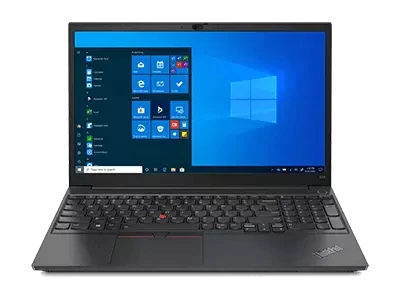
A TrackPoint provides users an additional means of interacting with their laptop. The TrackPoint is a small cursor control device located in the center of the keyboard. It is red and textured, and roughly resembles a pencil eraser in appearance. Users can interact with the screen by applying pressure on the TrackPoint.
To move the cursor around, you can simply apply pressure in the direction you wish the cursor to go; if you apply more pressure, the cursor will move with greater speed. Like the TrackPad, the TrackPoint also includes shortcuts for ease of use. For example, it can be used to scroll up or down, rather than as a cursor. The benefit of the TrackPoint is that it limits all movement to a single finger, making it incredibly simple to use.
How to use TrackPoint and TrackPads
The TrackPad and TrackPoint offer different ways to interact with your laptop. On some Lenovo models, both a TrackPoint and TrackPoint are included. Here is how you use them:
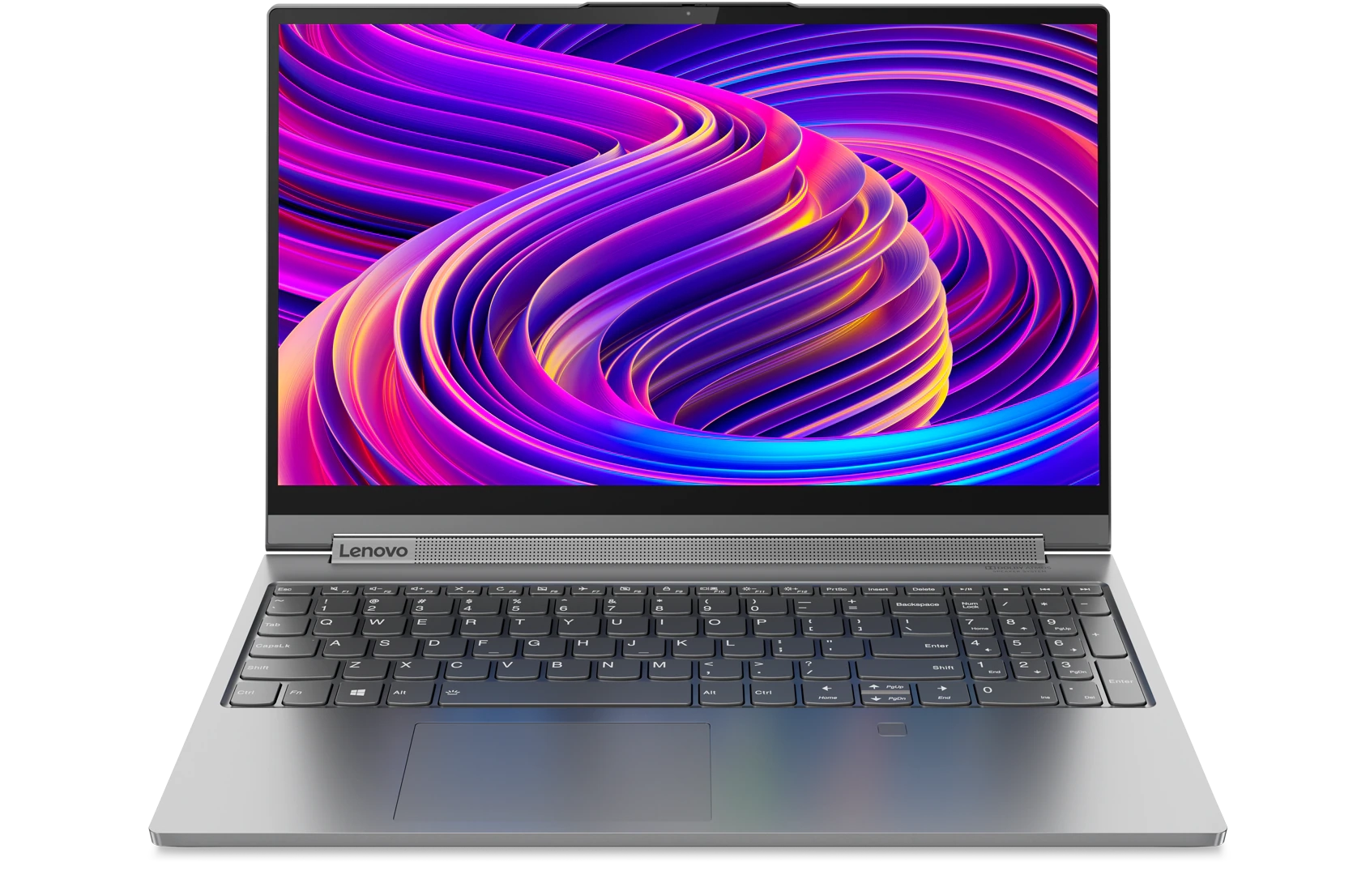
- TrackPad – The TrackPad is a flat surface area found at the bottom of the keyboard. Immediately below the trackpad, you may find one or two buttons, similar to those found on a mouse. However, not all TrackPads include buttons. To use the TrackPad, swipe your fingers across the surface to move the cursor, double-swipe to scroll up or down on the screen, pinch or expand your fingers to zoom, or double-tap to select an item or open a program. The ThinkPad TrackPad is a versatile, intuitive, and incredibly useful interface.
- TrackPoint – To use the TrackPoint, you once again have options. You can use it to move the cursor around the screen, or to scroll through a document or web page. Simply apply pressure in the direction you want the cursor to move. If you have a document open, such as a PDF, simply hold down on the TrackPoint to activate the scroll function. You can even use it to zoom in on the screen by pressing and holding down on the TrackPoint center button. The advantage of the TrackPoint is its ease of use; you can navigate through a document or manipulate your screen without ever moving your hands.
Both of these interfaces offer unique benefits. Their different approaches lead many people to form loyalties to one over the other. This leads to a common question – which is better?
TouchPad vs TrackPoint
There is no one winner between TouchPads and TrackPoint cursors. The two offer entirely different user interfaces, and with practice and experience, a user can easily master both to seamlessly interact with their laptop. Some individuals like that the TrackPoint limits all inputs to a single button, while others prefer to use finger swipes and gestures. Ultimately, the side that you come down on in the TrackPad vs TrackPoint debate will depend on personal preference.
Acheter des produits associés
Limites : commandes limitées à cinq ordinateurs par client. Pour des quantités supérieures, visitez la section “Où acheter” du site Web pour des informations détaillées sur les revendeurs et distributeurs des produits Lenovo.
Offres et disponibilité : toutes les offres sont dans la limite des stocks disponibles. Les offres, tarifs, spécifications et disponibilités sont susceptibles de modification sans préavis. Les offres de produits et les caractéristiques présentées sur ce site Web peuvent être modifiées à tout moment et sans préavis. Les modèles présentés le sont uniquement à titre d'illustration. Lenovo ne peut être tenu responsable des erreurs photographiques ou typographiques. Les PC illustrés ici sont livrés avec un système d'exploitation.
Prix : les prix Web indiqués sont TTC. Les prix et les offres apparaissant dans le panier sont susceptibles d'être modifiés jusqu'au moment où la commande est passée. * La tarification et les économies portent sur les prix Lenovo normalement constatés sur le Web. Les prix pratiqués par les revendeurs peuvent différer et être supérieurs aux prix présentés ici.
Les prix sont indiqués en euros et incluent la TVA
**Batterie : ces systèmes ne prennent pas en charge les batteries qui ne sont pas authentiques, fabriquées ou agréées par Lenovo. Ces systèmes démarreront, mais peuvent ne pas charger ces batteries non agréées. Lenovo ne saurait être tenu pour responsable du bon fonctionnement et de la sécurité de batteries non agréées et n'assume aucune garantie en cas de panne ou de dommage résultant de leur utilisation. * L'autonomie de la batterie est basée sur la méthodologie MobileMark® 2014 et constitue une estimation haute. L'autonomie réelle de la batterie varie en fonction de nombreux facteurs, dont la luminosité de l'écran, les applications actives, les fonctionnalités, les paramètres de gestion de l'alimentation, l'âge et le conditionnement de la batterie, et d’autres choix de configuration de l'utilisateur.
Généralités :consultez les informations essentielles fournies par Microsoft® qui peuvent s'appliquer au système acheté, notamment concernant Windows 10, Windows 8, Windows 7 et les éventuelles mises à niveau ascendantes/descendantes. Lenovo n'offre aucune garantie, ni ne peut être tenu responsable des produits ou des services issus de tiers.
Marques : Lenovo, ThinkPad, IdeaPad, ThinkCentre, ThinkStation et le logo Lenovo sont des marques commerciales de Lenovo. Microsoft, Windows, Windows NT et le logo Windows sont des marques commerciales de Microsoft Corporation. Ultrabook, Celeron, Celeron Inside, Core Inside, Intel, le logo Intel, Intel Atom, Intel Atom Inside, Intel Core, Intel Inside, le logo Intel Inside, Intel vPro, Itanium, Itanium Inside, Pentium, Pentium Inside, vPro Inside, Xeon, Xeon Phi, Xeon Inside et Intel Optane sont des marques commerciales d'Intel Corporation ou de ses filiales aux États-Unis et/ou dans d'autres pays. © 2023 Advanced Micro Devices, Inc. Tous droits réservés. AMD, le logo AMD avec la flèche, Athlon, EPYC, FreeSync, Ryzen, Radeon, Threadripper, et leurs combinaisons sont des marques commerciales d’Advanced Micro Devices, Inc. D'autres noms de société, de produit ou de service peuvent être des marques déposées par leurs sociétés respectives.
