
The Technology You'll Need for Remote Learning
The age of remote learning is here. We're well into the 21st century, and many professors are using the internet and the latest learning tools to create a curriculum that inspires students, no matter where they live. Schools all over the world are also offering remote lectures as an option for students with emergency circumstances, so that everyone can keep up with their coursework.
However, remote learning also presents a unique set of challenges, including how to stay focused at home, while also ensuring you have the best technological tools for success. Many of today's courses rely on cutting-edge conferencing technology, interactive apps, and even tablet-based tools. With the right computer and some smart habits, you'll be ready to learn remotely and never miss a lesson.
Smart Practices for Remote Learning
Learning from home can be a grind if you haven't developed the right habits. For instance, you'll probably be working in your bedroom or on the kitchen table, while your parents pester you to take out the bins. And if you have a younger sibling who wants to build forts while you're watching an important lecture, the distractions may become too much to bear.
So first, take a deep breath. Remote learning isn't an ideal situation, especially if you're used to being independent. But it's definitely manageable, and you may find that the remote learning process actually has its perks (like the ability to watch lectures at your own pace). To help adjust to this new academic lifestyle, here are a few smart practices:
Create an Engaging Learning Environment
First, it's crucial to have a nurturing space where you feel comfortable studying for hours at a time. This might be a home office, a desk in your bedroom, or even a patio table in the back garden, but you should create a learning station and make a habit of studying there. This will help keep you focused when videogames, social media, and pestering parents take you out of a groove. You might also want to play light instrumental music in the background while doing homework if it helps you focus. Find out what works for you, and then stick to it.
Schedule Time to Complete Assignments
With a normal school schedule, most students are out and about during the day, taking classes and studying in the library. That's not the case with remote learning, so you'll need to be more disciplined about your weekly schedule. We suggest using a calendar or planner and penciling in all the lectures that you need to watch for the week, while also setting aside plenty of time for homework and reading. As a remote learner, you'll have more time than you know what to do with, but that time can quickly disappear if you're not using it wisely.
Don't Be Afraid to Ask Questions
It might seem weird to ask questions when you're not face-to-face with professors, but it's an invaluable part of the learning process, so don't shortchange yourself. Almost every remote learning portal will allow you to submit questions on a course discussion board, and if that isn't an option, you can always get in touch with professors via email. In fact, when it comes time to ask professors for a letter of recommendation down the road, you'll already have correspondence and rapport over email, so it won't feel like a big ask.
Take Advantage of Every Resource
The beauty of online learning is that you're a web search away from virtually anything. Plus, remote courses typically have online study groups where you can share notes, virtual office hours where you can connect with instructors, and more. All of these resources can help you make the most of the remote learning experience.
Keep in Touch with Classmates
Finally, just because you're learning from your childhood bedroom in the suburbs doesn't mean you should stay isolated from friends and classmates. In fact, many remote courses are designed with mandatory study sessions, where peers can help quiz each other and pool their knowledge. We recommend scheduling video chats with at least a few classmates every week to study and socialize.
Chromebooks: The Ideal Remote Learning Fit
You don't need much to learn remotely. Having a cutting-edge student laptop is great if you can afford it, but it's more important to invest in a portable device with amazing battery life and enough processing power to handle livestreams. Enter the Chromebook. Designed around Chrome OS, these affordable PCs offer a streamlined laptop experience that mostly takes place in your browser, but still gets the job done. With a Chromebook, you can log into online classes, take notes, host video chats, and reply to emails without skipping a beat. Many of them are also designed with rugged frames that can even weather a drop from a school desk. And with the extra money saved from not buying a high-performance laptop, you can invest in a quality monitor for a more expansive learning experience.
Here are three of the best options for remote learners on a budget:
Lenovo 300e Chromebook
Built with a tough housing that includes rubber bumpers and mechanically anchored keys, the 300e Chromebook is ready for the rigors of remote learning. It boasts up to 10 hours of battery life, so you can take it around the house or the backyard patio. And since it has Chrome OS, students get access to the full G Suite, including Google Classroom and a wide range of interactive learning apps. Finally, the built-in HD camera makes video-conferencing a breeze. It's the perfect solution for students, teachers, and first-time laptop owners.
Lenovo Chromebook S340
Booting up in seconds, the Chromebook S340 has everything you need for virtual coursework. The 14" HD display looks incredible, and there's an available touchscreen for even more functionality when doing homework or zooming in on a digital textbook. Weed out distractions with the simple, yet effective Chrome OS, which has all the apps you need to stay productive. And when it's time to unwind, the Google Play Store offers a massive library of TV and movies as well.
Lenovo Flex 3
Finally, if you absolutely need a Windows PC, the Flex 3 offers tremendous value in a lightweight package. Starting at just 1.2 kg, the 11" laptop boasts an Intel processor that's ideal for productivity software, video-conferencing, and web research. Even though it's a full-fledged laptop PC, the Flex 3 still enjoys up to 8 hours of battery life, with a Rapid Charge feature that takes you to 80% battery life in an hour. And if you like taking notes digitally, the available digital pen lets you jot ideas directly on the touchscreen. In fact, the Flex 3 gets its name for its 2 in 1 functionality, so you can switch from Laptop mode to Tent mode when video-conferencing, or go all the way to Tablet mode for a more hands-on experience.
Whether you're a university student trying to keep up with assignments while on leave, or a secondary school student just dipping their toes into online learning, there's an impressive laptop out there for every age group. At Lenovo, we have the tech that will inspire your studies and never hold you back. Stay curious, and good luck on your remote learning journey!
Acheter des produits associés
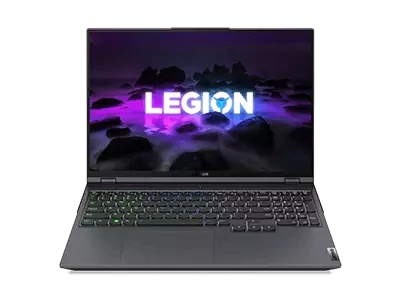
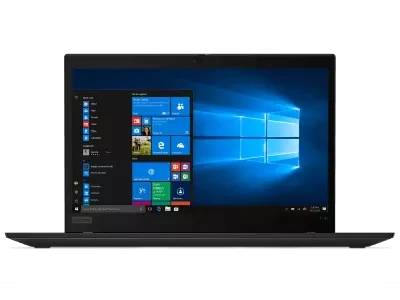
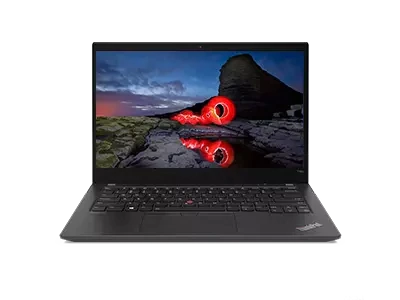
Limites : commandes limitées à cinq ordinateurs par client. Pour des quantités supérieures, visitez la section “Où acheter” du site Web pour des informations détaillées sur les revendeurs et distributeurs des produits Lenovo.
Offres et disponibilité : toutes les offres sont dans la limite des stocks disponibles. Les offres, tarifs, spécifications et disponibilités sont susceptibles de modification sans préavis. Les offres de produits et les caractéristiques présentées sur ce site Web peuvent être modifiées à tout moment et sans préavis. Les modèles présentés le sont uniquement à titre d'illustration. Lenovo ne peut être tenu responsable des erreurs photographiques ou typographiques. Les PC illustrés ici sont livrés avec un système d'exploitation.
Prix : les prix Web indiqués sont TTC. Les prix et les offres apparaissant dans le panier sont susceptibles d'être modifiés jusqu'au moment où la commande est passée. * La tarification et les économies portent sur les prix Lenovo normalement constatés sur le Web. Les prix pratiqués par les revendeurs peuvent différer et être supérieurs aux prix présentés ici.
Les prix sont indiqués en euros et incluent la TVA
**Batterie : ces systèmes ne prennent pas en charge les batteries qui ne sont pas authentiques, fabriquées ou agréées par Lenovo. Ces systèmes démarreront, mais peuvent ne pas charger ces batteries non agréées. Lenovo ne saurait être tenu pour responsable du bon fonctionnement et de la sécurité de batteries non agréées et n'assume aucune garantie en cas de panne ou de dommage résultant de leur utilisation. * L'autonomie de la batterie est basée sur la méthodologie MobileMark® 2014 et constitue une estimation haute. L'autonomie réelle de la batterie varie en fonction de nombreux facteurs, dont la luminosité de l'écran, les applications actives, les fonctionnalités, les paramètres de gestion de l'alimentation, l'âge et le conditionnement de la batterie, et d’autres choix de configuration de l'utilisateur.
Généralités :consultez les informations essentielles fournies par Microsoft® qui peuvent s'appliquer au système acheté, notamment concernant Windows 10, Windows 8, Windows 7 et les éventuelles mises à niveau ascendantes/descendantes. Lenovo n'offre aucune garantie, ni ne peut être tenu responsable des produits ou des services issus de tiers.
Marques : Lenovo, ThinkPad, IdeaPad, ThinkCentre, ThinkStation et le logo Lenovo sont des marques commerciales de Lenovo. Microsoft, Windows, Windows NT et le logo Windows sont des marques commerciales de Microsoft Corporation. Ultrabook, Celeron, Celeron Inside, Core Inside, Intel, le logo Intel, Intel Atom, Intel Atom Inside, Intel Core, Intel Inside, le logo Intel Inside, Intel vPro, Itanium, Itanium Inside, Pentium, Pentium Inside, vPro Inside, Xeon, Xeon Phi, Xeon Inside et Intel Optane sont des marques commerciales d'Intel Corporation ou de ses filiales aux États-Unis et/ou dans d'autres pays. © 2023 Advanced Micro Devices, Inc. Tous droits réservés. AMD, le logo AMD avec la flèche, Athlon, EPYC, FreeSync, Ryzen, Radeon, Threadripper, et leurs combinaisons sont des marques commerciales d’Advanced Micro Devices, Inc. D'autres noms de société, de produit ou de service peuvent être des marques déposées par leurs sociétés respectives.
