
What is a workstation PC?
There are lots of different ideas out there as to what a workstation computer is. These ideas can range from special computers designed for technical or scientific applications, or a PC or mainframe terminal on a local area network, or even a “dumb terminal,” or terminal without processing power connected to a mainframe.
Lenovo workstation computers are engineered for ultimate productivity with enhanced power, performance, and industry-leading reliability that standard desktop computers cannot match. By combining top-of-the-line components with expanded support for smarter technologies, like Client AI and AR/VR, Lenovo workstations are built to handle your most demanding projects — turning your ideas into reality.
What does a workstation do?
For workstation desktop users, the primary avenues to drive design and development productivity are two-fold:
- Shorten the time required to complete individual tasks and improve the workflow overall. This requires the best possible throughput for a range of CAD workloads
- Avoid idle time by ensuring all critical IT resources (hardware and software) are always up and running, and available to users. This requires the most reliable computing tools.
Workstations are specifically engineered to achieve both, with features standard PCs can’t match, such as:
- ISV certification
- Professional-caliber processors (CPUs)
- Graphics cards (GPUs)
- Enhanced memory and storage capacity and protection
- Stronger power supplies (PSUs)
- More robust chassis design and materials
- More comprehensive warranties and support.
Why is reliability so important to workstation desktop users?
Purpose-built for reliability, the workstation is fundamentally more reliable than its consumer- or corporate-focused siblings, as is evident in both the components inside and the enclosure hous-ing them:
- Comprehensive thermal engineering of the chassis, for example, ensures workstation components stay cool under the pressure of running compute-intensive software, as hot parts are more vulnerable to failure.
- Workstation-caliber CPUs and GPUs share a similar focus on robust design:
- Workstation GPU add-in cards, for example, boast gold-plated PCI Express fingers, burlier retention mechanisms, and more robust clocking and drivers.
- Intel® Xeon® processors deliver exclusive features such as memory error protection (in the form of error-correcting code, or ECC) and optimal clock frequencies that maximize performance without sacrificing reliability.
- Workstations offer protection for stored data as well, supporting RAID configurations that protect the contents of your hard drive and minimize downtime in the event of a failure.
- Perhaps the workstation’s most important feature is its most differentiating: independent software vendor (ISV) certification by companies such as Autodesk and Dassault Systèmes. This means that hardware OEMs and ISVs team up to verify the complete workstation system — hardware, applications, and drivers — through:
- Comprehensive regression testing, which ensures every certified workstation reliably runs the most popular CAD applications.
- More robust hardware designs combined with ISV certification, which lead to increased uptime thanks to reduced chances of crashes, bugs, memory errors, and repairs.
Why is performance so important to workstation desktop users?
Being purpose-built for CAD performance, reliability and manageability are hallmark workstation traits, but for many users, performance is ultimately where the rubber meets the road. A workstation’s design and choice of software and hardware components not only make it more reliable than a general-purpose PC, they also let it churn faster through demanding CAD workloads:
- Workstation chassis tend to:
- Be larger in size
- Offer more expansion slots for:
- Add-in cards
- More bays for storage
- Beefier PSUs to power them all.
- ISV certification, in addition to enhancing reliability, ensures the most optimal application-to-driver interface
- Intel Xeon CPUs are better equipped to tackle large CAD datasets and modern multithread workloads through:
- Populate more CPU cores
- Support larger caches
- Couple to more ample memory footprints
- Professional-caliber GPUs tend to offer more graphics memory than consumer-class cards, such that ever-larger CAD models don’t choke rendering due to a lack of local storage. Other benefits of workstation GPUs include:
- Optimization for the specific types of graphics operations most commonly employed in CAD
- Drivers that outperform those tuned for gaming or general-purpose graphics applications
- Drivers that are optimized for the drawing of smooth 3D lines and Gooch-shaded surfaces, which is common in CAD drawings but virtually nonexistent in games and other consumer-oriented applications.
- Workstation vendors now commonly offer supporting software tools designed to optimize performance and reliability. The Lenovo Performance Tuner (LPT) has default values specified to deliver sound performance in the majority of use cases, while giving users and IT administrators the option to fine-tune the allocation of hardware resources down to a specific selection of which applications run on which CPU cores.
How do you know when it’s time to upgrade your workstation?
The right time to swap out the old workstation in favor of a new model will depend on the user, the workflow, and the budget. But an effective replacement cycle must be:
- One, long enough to allow adequate amortization of the current asset
- And two, short enough to ensure that productivity doesn’t fall too far behind the curve
Typically, you should consider upgrading your workstation in the 18- to 36-month range.
In the end, a new workstation provides the most compelling IT investment. With design features specifically geared to the priorities of CAD professionals, a workstation can deliver what a PC cannot:
- A focus on reliability permeates a workstation build, while performance tuned to CAD applications and workload delivers compelling speed-ups over the typical performance PC
- Test results show superior throughput for workstations — often dramatically so —especially when tasked with 3D-oriented CAD workloads
- And, with competitive purchase prices combined with superior reliability and management, the workstation often turns out to be the less-expensive option over the life of the asset.
Businesses depend on high-performance and reliable IT to better deliver for customers, on schedule and to specification. They can’t afford to waste time and money on a new resource that handcuffs productivity or one that has been pushed beyond its useful life. As supported, both by the examination of its features and the results of its testing, a modern workstation computer is definitively the superior tool for businesses that require an effective, productive CAD workflow.
Acheter des produits associés
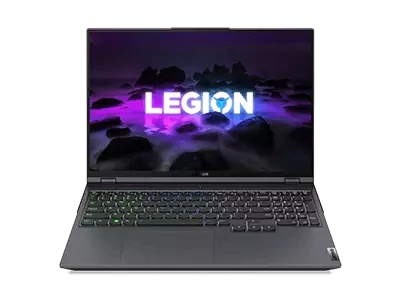
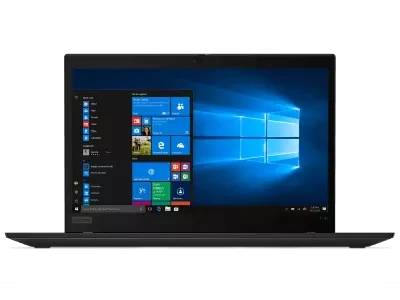
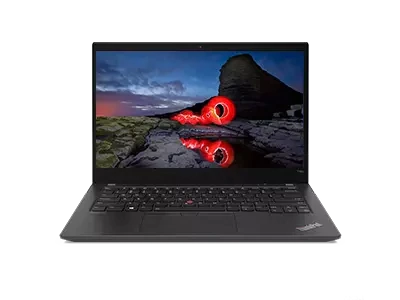
Limites : commandes limitées à cinq ordinateurs par client. Pour des quantités supérieures, visitez la section “Où acheter” du site Web pour des informations détaillées sur les revendeurs et distributeurs des produits Lenovo.
Offres et disponibilité : toutes les offres sont dans la limite des stocks disponibles. Les offres, tarifs, spécifications et disponibilités sont susceptibles de modification sans préavis. Les offres de produits et les caractéristiques présentées sur ce site Web peuvent être modifiées à tout moment et sans préavis. Les modèles présentés le sont uniquement à titre d'illustration. Lenovo ne peut être tenu responsable des erreurs photographiques ou typographiques. Les PC illustrés ici sont livrés avec un système d'exploitation.
Prix : les prix Web indiqués sont TTC. Les prix et les offres apparaissant dans le panier sont susceptibles d'être modifiés jusqu'au moment où la commande est passée. * La tarification et les économies portent sur les prix Lenovo normalement constatés sur le Web. Les prix pratiqués par les revendeurs peuvent différer et être supérieurs aux prix présentés ici.
Les prix sont indiqués en euros et incluent la TVA
**Batterie : ces systèmes ne prennent pas en charge les batteries qui ne sont pas authentiques, fabriquées ou agréées par Lenovo. Ces systèmes démarreront, mais peuvent ne pas charger ces batteries non agréées. Lenovo ne saurait être tenu pour responsable du bon fonctionnement et de la sécurité de batteries non agréées et n'assume aucune garantie en cas de panne ou de dommage résultant de leur utilisation. * L'autonomie de la batterie est basée sur la méthodologie MobileMark® 2014 et constitue une estimation haute. L'autonomie réelle de la batterie varie en fonction de nombreux facteurs, dont la luminosité de l'écran, les applications actives, les fonctionnalités, les paramètres de gestion de l'alimentation, l'âge et le conditionnement de la batterie, et d’autres choix de configuration de l'utilisateur.
Généralités :consultez les informations essentielles fournies par Microsoft® qui peuvent s'appliquer au système acheté, notamment concernant Windows 10, Windows 8, Windows 7 et les éventuelles mises à niveau ascendantes/descendantes. Lenovo n'offre aucune garantie, ni ne peut être tenu responsable des produits ou des services issus de tiers.
Marques : Lenovo, ThinkPad, IdeaPad, ThinkCentre, ThinkStation et le logo Lenovo sont des marques commerciales de Lenovo. Microsoft, Windows, Windows NT et le logo Windows sont des marques commerciales de Microsoft Corporation. Ultrabook, Celeron, Celeron Inside, Core Inside, Intel, le logo Intel, Intel Atom, Intel Atom Inside, Intel Core, Intel Inside, le logo Intel Inside, Intel vPro, Itanium, Itanium Inside, Pentium, Pentium Inside, vPro Inside, Xeon, Xeon Phi, Xeon Inside et Intel Optane sont des marques commerciales d'Intel Corporation ou de ses filiales aux États-Unis et/ou dans d'autres pays. © 2023 Advanced Micro Devices, Inc. Tous droits réservés. AMD, le logo AMD avec la flèche, Athlon, EPYC, FreeSync, Ryzen, Radeon, Threadripper, et leurs combinaisons sont des marques commerciales d’Advanced Micro Devices, Inc. D'autres noms de société, de produit ou de service peuvent être des marques déposées par leurs sociétés respectives.
