
Shop By Size
The ideal size depends on various factors, such as your desk space, viewing distance, and personal preference.
The ideal size depends on various factors, such as your desk space, viewing distance, and personal preference.
Shop By Size





Shop By Resolution
The display’s resolution indicates how sharp, or realistic, your computer’s images are. The higher a display’s resolution, the sharper and more realistic its images are.
The display’s resolution indicates how sharp, or realistic, your computer’s images are. The higher a display’s resolution, the sharper and more realistic its images are.
Shop By Resolution


Shop By Connection Type
The connection type refers to a port used to establish the connection between the monitor and computer in order to display the computer’s output.
The connection type refers to a port used to establish the connection between the monitor and computer in order to display the computer’s output.
Shop By Connection Type


A computer monitor is a display device that visually presents the output from a computer. It acts as your window into the digital world, allowing you to interact with applications, view content, and manage tasks.
Computer monitors come in various types, each suited for specific needs. LCD monitors, LED monitors, OLED monitors, Older CRT monitors, touchscreen monitors. Each type caters effectively to different user needs.
Ports are the communication gateways of your monitor. HDMI is the universal translator, DisplayPort the high-bandwidth specialist, USB-C the versatile multitasker, and VGA the legacy bridge. Understanding their capabilities allows you to connect a wide range of devices and ensure seamless integration.
Hertz (Hz) in a monitor refers to its refresh rate—the number of times the screen refreshes per second. For example, a 60Hz monitor refreshes 60 times per second. A higher refresh rate, like 120Hz or 240Hz, ensures smoother motion, crucial for gaming or video editing. While 60Hz is enough for general use, faster refresh rates reduce motion blur, resulting in more fluid visuals.
To choose the best gaming monitor, prioritize a refresh rate of at least 120Hz (144Hz or higher for smoother motion) and a response time of 1ms-5ms to avoid ghosting. Opt for resolution based on your system’s power—1080p is solid, but 1440p or 4K provides sharper visuals. Choose the screen size that fits your setup, with 24–27 inches ideal or ultrawide for immersive gameplay. For panel type, IPS ensures vibrant colors, TN offers speed, and VA delivers deep contrast. Look for G-Sync or FreeSync to reduce screen tearing, HDR or adjustable stands further boost your gaming experience.
Ultrawide computer monitors feature a unique aspect ratio, typically 21:9 or wider, offering significantly more horizontal screen space than standard monitors. They excel in multitasking, as users can work with multiple windows side by side without needing dual monitors.
OLED computer monitors are used in fields that demand top-tier visuals and performance. They’re ideal for professional content creation, such as photo or video editing, due to their unmatched color accuracy and deep contrast. Additionally, they’re a popular choice for high-end entertainment setups, providing vibrant, lifelike imagery for movies or media streaming.
When choosing the best curved gaming monitor, start with a screen size 32 inches or larger, which maximizes immersion. Pay attention to curvature, like 1500R, which wraps visuals closely for a more engaging experience. Resolution 1440p balances performance and clarity, while 4K amazes if your hardware supports it.
1440p offers a crisp and detailed image that improves the visuals of modern games. It balances resolution and performance, giving gamers a sharp display and smooth gameplay without overwhelming system resources.
PC computer monitors come in various sizes, typically ranging from 19 to 49 inches. Smaller sizes, like 19–24 inches, are ideal for basic tasks, saving space in compact setups. 24–27 inches strike a balance, perfect for productivity and casual gaming. Larger sizes, 27–34 inches, suit multitasking, professional work, and immersive gaming experiences.
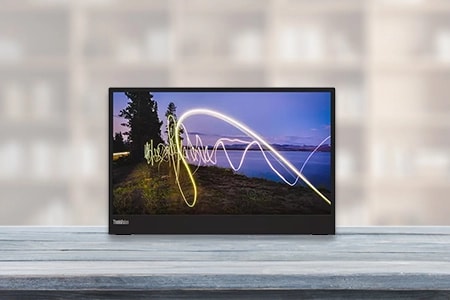
When buying a portable monitor, consider its size and resolution to match your needs. For example, compact sizes are great for travel, while larger screens add productivity. Look for at least 1080p resolution for clear visuals, or higher if you’re working on detailed tasks. Connectivity options like USB-C, HDMI, and compatibility with your devices are essential for hassle-free setup.
A 4K gaming computer monitor offer stunning visual with four times the resolution of 1080p, delivering crisp details and immersive environments. This makes it ideal for games with detailed textures and expansive landscapes. It also enhances video playback, allowing high -fidelity content consumption. Paired with a powerful GPU, it ensures smooth performance in today's visually demanding titles.
For office work, monitors with a screen size between 24 to 27 inches are ideal, offering ample screen real estate without overwhelming your desk. Ultrawide monitors provide space for multitasking, while dual monitors suit users managing multiple applications.
Color accuracy is paramount for photo editing. Look for monitors with at least 99% sRGB or AdobeRGB coverage to ensure precise color reproduction. High resolution, such as 4K, provides the detail needed for retouching and fine adjustments. IPS (In-Plane Switching) panels are ideal for their consistent color and wide viewing angles, preventing distortions when viewing from different positions.
A 32-inch monitor offers expansive screen space, making it easy to view multiple windows side by side without constantly switching tabs. This boosts productivity by streamlining multitasking and reducing distractions. Additionally, its size enhances comfort by minimizing eye strain, providing clear visuals and better ergonomics.
For a 1440p monitor, the ideal screen size is between 27 and 32 inches. This range strikes a perfect balance, offering sharp visuals and ample screen space. At this size, the resolution provides excellent pixel density without causing text or details to appear too small, ensuring both clarity and comfort during use.
In-Plane Switching (IPS) panels excel in color accuracy and wide viewing angles, making them ideal for content creation. Vertical Alignment (VA) panels offer high contrast ratios, producing deep blacks and vibrant colors. Twisted Nematic (TN) panels are known for their fast response times, favored by competitive gamers, but often at the expense of color quality.
A touchscreen monitor enhances user interaction by allowing intuitive navigation through direct touch, eliminating the need for peripherals like a mouse. Multitouch gestures enable smooth zooming, rotating, and scrolling, offering greater efficiency. Its accessibility features make it easier for all users, including those with physical limitations, to interact seamlessly with digital content.