Lenovo’s best Windows tablets
Lenovo builds a wide range of Microsoft Windows tablets, including business-ready ThinkPad tablets, our amazingly flexible Yoga Books, and our MIIX Series that’s good for office or family use. You get the best of both worlds – the portability and convenience of a tablet computer with the full functionality of a Windows system.
Lenovo tablets with Windows 10 are valued for their productivity and security features, so they make great business tablets, home and family tablets – even student tablets. They’re great for anyone who prefers a traditional Windows experience over the more app-oriented approach of tablets built on more limited, smartphone-like operating systems.
Why buy a Windows tablet?
The biggest benefit of a Windows-enabled tablet PC from Lenovo is obvious… it runs on the powerful, virtually universal Microsoft Windows 10 OS. You get a fundamentally different tablet experience. It’s nothing like a tablet based on a mobile OS that also runs smartphones. It’s more like a regular PC – that just happens to include a super-portable, take-anywhere tablet.
Here are the most talked-about advantages of a Microsoft Windows tablet:
-
Touch screen-optimized Windows 10
When Microsoft released its latest, much-anticipated OS update, it gave Windows 10 multiple new touch screen and stylus pen capabilities. Now, it’s easier to use everything from the Start menu to popular Microsoft Office and other programs using typical tablet gestures.
-
Big-screen, high-resolution display options
Windows-enabled tablets are easy to use thanks to some of the biggest displays available in a portable device. The full OS can support bigger screens and higher resolutions – another way Windows tablets give you more of that traditional desktop computing feel.
-
Ports and peripheral options
Another advantage of Windows tablets is their support for peripherals, from monitors to printers to game controllers. Just connect to and use them as you would with any Windows PC (versus mobile OS-based tablets, which may have fewer ports and can be harder to sync with external components).
Remember, too, that while the Windows OS means these tablets are often marketed as business-ready systems, they’re popular with home office users, too, since the easy learning curve gets everyone up to speed faster. They also make great entertainment tablets, with big, clear displays that are perfect for games and streaming movies.
Best Lenovo Windows 10 tablets
So, what’s Lenovo’s best Windows 10 tablet? That depends on what you’re looking for. If you’re ready to compare tablets, here’s a look at some of our best:
-
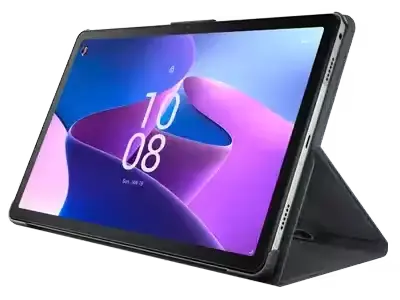
Lenovo Tablet 10
The Lenovo Tablet 10 offers built-in flexibility for today’s highly mobile professionals. You can carry it with you as a tablet or connect the optional keyboard to use it as a laptop-style PC at your office desk. The Lenovo Tablet 10 is business-ready, too, with an Intel CPU, Microsoft Windows 10 OS, and multiple security features (Discrete TPM, Windows 10 Bitlocker, etc.).
-
ThinkPad Tablet
Yes, you can get renowned ThinkPad reliability and security in an ultraportable tablet. The ThinkPad X1 Tablet boasts 8th Gen Intel Core processors (with vPro options) and runs Microsoft Windows 10, so it’s a full-fledged office workhorse. And it’s a 2-in-1 detachable, so when you unplug the super-thin keyboard you’ve got a big, bright 13-inch QHD+ tablet in your hands.
-
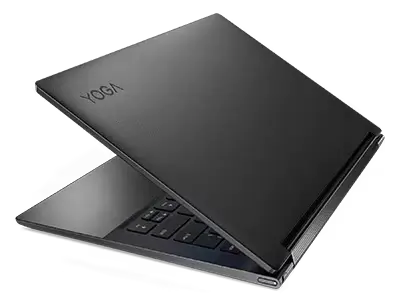
Yoga Book
Lenovo’s Yoga Book proves there’s more to a tablet than carrying it or resting it on your lap. Part of our Yoga line of versatile 2-in-1 convertible devices, the Yoga Book (available with Microsoft Windows 10) has a unique four-mode hinge: use it like a regular tablet (Browse Mode), a laptop (Type), a painting easel (Create), or a mini-movie screen (Watch).
There’s a lot to like in Lenovo’s line of powerful, versatile Windows tablets. We also offer tablets that use other operating systems, as well as ultraportable laptop-like devices such as Chromebooks and netbooks.