Early Black Friday Deals | Unlock great deals before everyone catches on. Save up to {savingPercent}. Shop Now



Our Desktop Brands


Meet the future
Featured content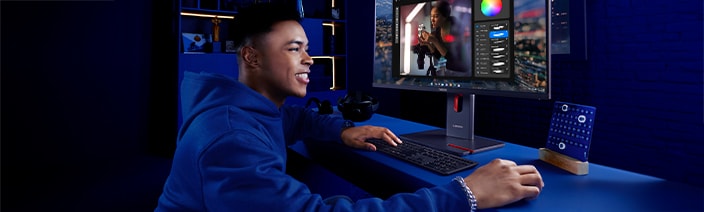

Driving performance across industries
Stylish desktops that provide solid performance for everyday tasks and creative projects, with features that help save power and protect the environment. Ideal for people who want practical, modern desktops that balance performance, design, and eco-friendliness.

Finance
The ThinkCentre range is ideal for the security-critical financial services industry. Help your employees to easily access accounts and sensitive information in a safe, secure cloud-based environment wherever they are, thanks to Lenovo ThinkShield.

Healthcare
Enhance the experience for service users and practitioners by using secure, cloud-first computing to make it easier for them to connect with the critical information they need, no matter where they are. And keep their sensitive data protected with end-to-end Lenovo ThinkShield security.

Government
Enable more efficiency for every facet of government, from the federal workforce and public libraries to community offices and inmate communities. ThinkCentre keeps data secure, employees on-task, and citizens connected.

Retail & Hospitality
Harness ThinkCentre’s secure and robust productivity to boost your bottom line. Choose specialized devices to power your individual kiosks, improve employee workflows and create a unique experience for customers in-store.

Contact Center
Protect your business and customer information with our versatile range of devices that’s protected from end-to-end by Lenovo ThinkShield. These devices can be easily deployed and managed from anywhere, helping to improve your agents’ productivity.
ThinkCentre DLP
Desktops are the smarter investment choice

Uncompromised computing power
Intel® Core™, AMD Ryzen™ and Snapdragon™ processors deliver smooth performance across graphics and large datasets. Easily customizable with added RAM and storage to meet your workload needs.

Greater collaboration
Lenovo ThinkCentre devices offer a variety of connectivity options for increased productivity in hybrid work environments. These include USB, VGA, HDMI and DP connections.

Small in size, big on workloads
No longer just a big black box, ThinkCentre desktops feature a unique hybrid XPU that combines the strengths of a CPU, GPU, and NPU in one compact system. This powerful blend boosts overall speed, handles graphics and AI tasks with ease.

Proven durability and reliability
Thorough hardware testing, coupled with Intel Stable IT Platform Program or AMD disk imaging via System Center Configuration Manager, ensures a longer desktop lifespan.

Enhance your user-experience with Lenovo Premier Support Plus
Premier Support Plus provides VIP support, solving your IT issues better, faster. It gives you 24x7x365 direct access to advanced technicians that will provide you unscripted solutions that work every time. And since you may be working from home or rushing to your office from time to time, Premier Support Plus includes Accidental Damage Protection, so your new device is fully covered.
ThinkCentre Buying Guide
Discover the Perfect Desktop for You
Featured content
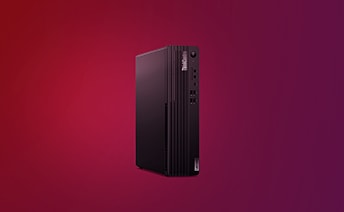
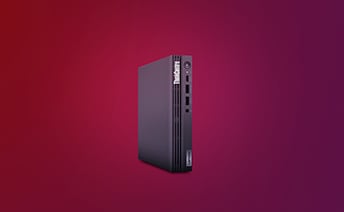
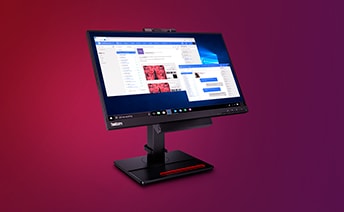

Lenovo ThinkCentre: Your Power-Packed Compact Desktop
How do Lenovo ThinkCentre desktops enable efficient computing performance?
Lenovo ThinkCentre desktops deliver efficient computing performance through a combination of powerful hardware components and optimized software. The ThinkCentre family includes a range of compact form factors, including traditional towers, SFF, Tiny and AIO, that don’t compromise computing power all offering large screens and full-sized keyboards to enhance productivity. With advanced processors, ample random access memory (RAM), and high-speed storage options, the ThinkCentre series offers the necessary horsepower to handle demanding computing tasks with ease. These desktops are engineered to provide smooth multitasking capabilities, allowing users to run multiple applications simultaneously without experiencing slowdowns. Additionally, the efficient cooling mechanisms and intelligent power management features help maintain optimal performance while minimizing energy consumption.
How is the Lenovo ThinkCentre desktop designed for programming tasks?
The Lenovo ThinkCentre desktops offer a range of features that make them well-suited for programming tasks, including support for various programming languages, robust processing power, ample memory, flexible storage options, and more. The desktops can come pre-installed with programming environments and tools, enabling developers to start coding right away. The expandability of the ThinkCentre series allows programmers to customize their setups by adding specialized hardware, such as dedicated graphics cards or additional storage, to meet their specific requirements.
How do Lenovo ThinkCentre desktops support internet connectivity and communications?
Lenovo ThinkCentre desktops come equipped with various connectivity options to support internet connectivity and facilitate seamless communications. They feature built-in Ethernet ports for wired connections, ensuring stable and fast network access, and WiFi connectivity, allowing users to connect wirelessly to home or office networks. ThinkCentre desktops also come with universal serial bus (USB) ports and up to Thunderbolt 4 enabling the connection of external modems or routers for internet access. For communications, the desktops typically have audio jacks for headsets or speakers, as well as built-in microphones and webcams, making them suitable for video conferencing, VoIP calls, and online collaboration. ThinkCentre also provides optional concall base on the ThinkCentre M series AIO. which is a great addition to improve the conferencing experience.
How do Lenovo ThinkCentre desktops enhance multitasking?
The Lenovo ThinkCentre series desktops are designed to allow users to efficiently work on multiple tasks simultaneously. With powerful processors, ample memory and the capability to extend set up with multiple monitors,these desktops can handle resource-intensive applications without significant performance degradation. Whether you're running virtual machines, editing large media files, or multitasking between multiple software development environments, the ThinkCentre series can handle the load.
How do Lenovo ThinkCentre desktops provide data security and protection?
Lenovo ThinkCentre desktops prioritize data security and protection through a combination of hardware and software features. Many models include hardware-based security features like Trusted Platform Module (TPM), which provides secure storage and encryption of sensitive data. The desktops also offer BIOS-level security options, enabling users to implement password protection and secure boot mechanisms. The ThinkCentre series can come with built-in security software, such as robust antivirus and firewall solutions, to safeguard against malware and unauthorized access. Additionally, Smart USB Protection keeps employees’ ThinkCentre desktops safer from rogue USB storage devices and data leakage. IT professionals can configure USB ports to respond only to keyboards and pointing devices. Sensitive data on a drive can be deleted without external tools or removing the drive through Secure Wipe 2.0. IT admins can also run log reports to confirm the solid state drive (SSD) or hard disk drive (HDD)T has been wiped. For even more security, regular firmware updates and ongoing support from Lenovo help promptly address security vulnerabilities
Why are Lenovo ThinkCentre desktops the preferred choice for professionals in the technology industry?
Lenovo ThinkCentre desktops are the preferred choice among professionals in the technology industry because of their performance, reliability and expandability. ThinkCentre desktops are known for their robust performance and reliability, enabling professionals to handle demanding computing tasks efficiently. The expandability options allow customization to suit specific needs, whether it's graphics-intensive work, software development, or data analysis. To safeguard your work, ThinkCentre desktops undergo rigorous testing and quality control processes, ensuring high build quality and long-term durability. ThinkCentre PCs are tested for more than 10,000 hours in Lenovo and independent laboratories to ensure military-level durability so you have the assurance that your desktop computer will continue to operate reliably no matter what environment you are working in for a sustained and consistent user experience. ThinkCentre desktops are certified with MIL-STD 810H, UL Anti-dust certification, TÜV Low Surface Vibration and TÜV Shock Resistance.
How do Lenovo ThinkCentre desktops maintain performance while remaining energy efficient?
Lenovo ThinkCentre desktops incorporate various features and technologies to contribute to energy efficiency. The desktops utilize power-efficient components, such as processors that balance performance with power consumption, to minimize energy usage without sacrificing computing capabilities. ThinkCentre desktops also employ intelligent power management features that adjust power settings based on usage patterns, ensuring efficient energy utilization. Some models meet or exceed energy efficiency standards, such as ENERGY STAR® 6.0 certification, indicating their commitment to reducing environmental impact and lowering power consumption over time.
What are some expansion options for a Lenovo ThinkCentre desktop?
Lenovo ThinkCentre desktops offer a range of expansion options designed so that users can adapt their systems to handle evolving needs, whether for personal or professional use. These include additional RAM slots for memory upgrades, spare drive bays for adding extra storage drives, and multiple peripheral component interconnect express (PCIe) slots for additional graphics cards, network adapters, or redundant array of independent disks (RAID) controllers. Select models also provide front-facing ports for easy access to USB, audio TT and other connectivity options. Connections between ThinkCentre and other hardware is simple and intuitive, allowing you to react to your business needs swiftly. Ample I/O ports and extendibility helps to meet the complex IT needs of today’s businesses.
Do Lenovo ThinkCentre desktops support virtualization and cloud computing?
Lenovo ThinkCentre desktops provide robust support for virtualization and cloud computing tasks. Virtualization technologies, including the Intel® Virtualization Technology (Intel® VT-x), are often integrated into the processors, allowing users to run multiple virtual machines concurrently. This capability is beneficial for software developers, IT professionals, and businesses that need to create isolated environments for testing, development, or running legacy applications. ThinkCentre desktops can also seamlessly connect to cloud platforms and services, giving users the ability to leverage the benefits of cloud computing, such as scalable resources, remote collaboration, and data backups.
Can Lenovo ThinkCentre desktops handle graphics-intensive tasks?
Lenovo ThinkCentre desktops offer various options for handling graphics-intensive tasks. Professionals can customize their desktop to include state-of-the-art, dedicated graphics cards capable of delivering high-performance visuals and supporting demanding applications like graphic design software, video editing tools, or 3D modeling applications. The desktops feature multiple display outputs, giving users the ability to connect multiple monitors for enhanced productivity and multitasking. For professionals in fields that heavily rely on graphics processing power, the ThinkCentre desktops provide options that cater to their specific needs for smooth and efficient handling of graphics-intensive tasks.
What operating systems are compatible with Lenovo ThinkCentre desktops?
Lenovo ThinkCentre desktops are compatible with a wide range of operating systems, including Microsoft Windows and various Linux distributions. Lenovo provides driver support and software updates specifically tailored for these operating systems made for optimal compatibility and performance in the long run. Whether you prefer the familiarity of Windows or the flexibility and open-source nature of Linux, the ThinkCentre series can accommodate your preferred operating system.
How do Lenovo ThinkCentre desktops provide a seamless user experience?
Lenovo ThinkCentre desktops provide a seamless user experience through specific features and optimizations. ThinkCentre desktops come pre-installed with a clean operating system that reduces bloatware and unnecessary applications that could potentially clutter the system. The desktops also feature intuitive interfaces and easy-to-access ports for effortless connectivity with peripherals. Additionally, Lenovo's commitment to driver updates, firmware upgrades, and ongoing support lets users can enjoy a stable and reliable computing experience.
How do Lenovo ThinkCentre desktops stand out in terms of reliability and durability?
Lenovo ThinkCentre desktops have established a reputation for reliability and durability in the technology industry. These desktops undergo stringent testing processes, including environmental and durability tests for their resilience and long-term reliability. The components used in ThinkCentre desktops are selected for their quality and performance, providing users with a stable and dependable computing platform. Lenovo's commitment to providing excellent customer support further reinforces the reliability of ThinkCentre desktops, as users have access to assistance and resources to address any potential issues.
