
Buying a laptop made simple.
Understand processors, RAM, storage, and more to confidently choose what suits your needs and budget.
What to look for when buying a laptop
What’s inside?
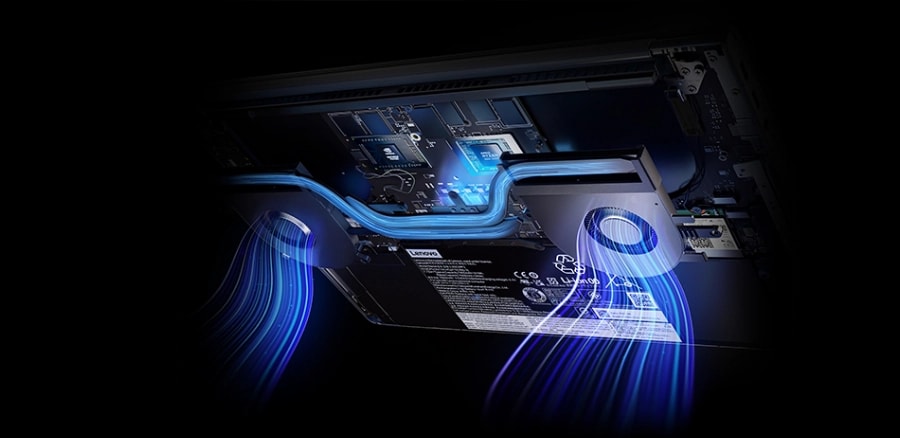
Although all of the components of a laptop are important, the technology inside defines how fast and how capable your laptop will be for specific tasks. Keep in mind that while more is better, it will also add cost. Go for the best that you can afford.
Lenovo works with both AMD and Intel technology. AMD CPUs tend to be less expensive, and slightly lower in graphics performance than their Intel equivalents. AMD chips can save you money while still giving you plenty of power for your day-to-day tasks.
Intel technology offers extreme performance for every computing need - all wrapped into a lightweight, easily portable form factor that works anywhere. Lenovo laptops with AMD or Intel based technology are ideal for everything from schoolwork and home and family computing to office work, field use, or to launch a small business. Once you know the performance level you need, both technologies are available in Lenovo laptops at a variety of price points to fit any budget.
How much RAM do I need?
4GB RAM – Base Minimum.
16GB RAM – Multitasking and work
+32GB RAM – High-performance and gaming
The hard drive is where a computer stores all files, pictures, music, and programs. Different from memory which is temporary when in use, storage determines how much data can be saved on the computer. Measured in Gigabytes (GB) and Terabytes (TB). Terabytes are 1,000 gigabytes.
There are hard disk (HDD) and solid state (SSD) drives. SSDs are faster and use less energy, while HDDs have the ability to store more data and are typically larger in size.
The graphics card (video card or GPU) displays everything you see and is an essential piece of hardware. It determines the range of color, how sharp images appear, and how well videos or games run without stuttering or pausing.
Gamers, and people who work with professional graphics software, get a big bump in performance from a laptop with a dedicated or discrete graphics GPU. These are also the key to unlocking virtual reality (VR) capabilities.
The rest of us can get by just fine with integrated graphics - built-in to your PC's processor.
The recommended specs of your favorite games are your best guide here: NVIDIA's GeForce GTX 1080 is an incredible discrete GPU, discrete GPU for playing first-person shooter games (FPS) at the highest resolutions and frame rates. For other games, that level of GPU is overkill.
What’s outside?
A larger display (14 inches and up) provides more space for your content or movies and is easier on the eyes as they often have higher resolution. Smaller displays (10-12 inches) usually save battery life and weigh less, often they have lower resolutions so the content displayed can be less crisp.
A larger screen with higher resolution display is ideal for photo and video editing, seeing applications side-by-side, and improves the readability of text. For daily computing, full HD, or 1920 x 1080 resolution is plenty and helps you keep your budget in check.
If you're buying a 2-in-1 laptop that can pull double-duty as a tablet, a touchscreen is a must. It's also starting to become standard on traditional laptops, where it can be a handy option, but touchscreens can have an impact on battery life, as well as a glare due to its glossy surface.
Ports, like USB 2.0 and 3.0, USB Type-C, HDMI, Thunderbolt, and Ethernet are how you connect accessories like monitors, printers, external storage, and even external graphics cards. How many and which type of ports you need depends on the accessories you'll want to connect simultaneously. When in doubt, remember that you can use WiFi and Bluetooth for audio devices, printing, networking and many other tasks.
Regardless of whether you need a laptop for basic tasks, or a high-performance machine for demanding activities, you'll find models that put an emphasis on keeping weight to a minimum. Keep in mind, sometimes prioritizing weight will mean compromising on other features. Ultralight laptops will have fewer ports, and may not be designed for easy memory or battery upgrades or replacements.
You'll find that some laptops are more appealing than others. Whether it's the materials used, the feel of the main hinge as you open it, or the precision of the laptop keys as you type, we all have preferences when it comes to design.
Build Your Own Laptop
What’s it for?
Shop for Work
Shop for Gaming
Shop for School
What goes well with it?

ThinkPad
It’s the one and only – the line of laptops that businesses have been turning to for decades for machines that are robust and reliable. More and more, people are choosing ThinkPad for personal use, too. ThinkPad laptops pack the industry’s best components into chassis that have been battle tested by millions.

Yoga
If you like the flexibility of a 2-in-1, but aren’t willing to compromise on the premium features of the best laptops on the market, the Yoga line is calling your name. Explore Yoga and find the entertainment focused C series, the intricately designed 900 series for those with a strong creative streak, or the 700 series for convertible laptops with the power of discrete graphics and stunning 4K displays.

Legion
Now you’ve got game. Lenovo Legion gaming laptops may be capable of a million other tasks, but let there be no doubt: They’ve been designed to be the best gaming laptops you can buy and, if you’re a gamer, you know how much that matters. Lenovo Legion boasts powerful GPUs, ultra-fast memory, glorious displays, and a keyboard built for those who do way more than type.

ThinkBook
Built for business, designed for you. These laptops make it easy to do business with style. From options that keep you up and running without pause, to security that works behind the scenes. And that's not all—ThinkBook laptops boast awesome entertainment features. And they're eye catching too.

LOQ
Equipped with the power and speed of the latest processors and GPUs, these affordable gaming laptops deliver AI-enhanced gaming performance that can handle even the most demanding game titles with ease.

IdeaPad
Where value and features meet. From budget-minded Chromebooks to the most cutting-edge 2-in-1 devices that house tablet and laptop functions in a single, sleek design, IdeaPad defies categorization. If you’re a student who strictly studies, or a student who teaches others humility in Fortnite, there’s an IdeaPad built just for you.

ChromeBook
Chromebooks are a more viable option that ever. The cloud-based Chrome OS is fast, flexible, and virtually virus-proof. The newest models now support apps from the Google Play store, giving Chromebooks all of the benefits of a having a full-size laptop, with the ability to run thousands of Android apps. Chromebooks are great for students thanks to their fast boot times, lightweight portability, and affordable prices, but increasingly, business users are turning to them for the same reasons.